January 28, 2025
 1 min read
How It Works
Direct Match Attributes is a great tool to show all the products you sell from a specific model, among other uses.
With this feature, you can make Search results only show your customers the products that exactly match a specific word or phrase in an attribute of your choice.
This setting lets you define which product attributes match the search query. For example, if a range of products all share the model number NT-123, you can set “model” as a Direct Match Attribute. When a customer searches for NT-123, only products with that exact model number will appear—no partial matches, like NT-1234 or NT-123-X.
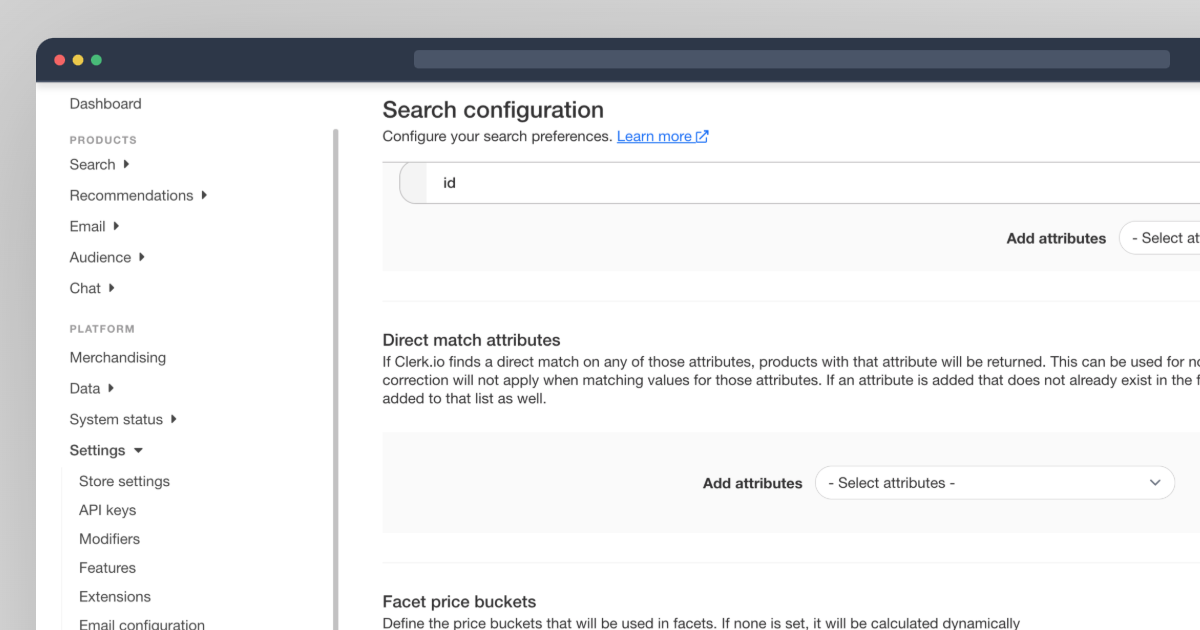
Where to Find It
To access Direct Match Attributes, you need to utilize Search V3. You can easily find them in Settings > Search Configuration > Direct Match Attributes.
If you have questions, don’t hesitate to get in touch with our Customer Support team. We’re happy to help you!