


Why the Right Search Module Matters for PrestaShop Stores
Search is one of the strongest indicators of purchase intent. Research shows:
Shoppers who use on-site search convert significantly higher than those who don’t.
Poor search experiences can push bounce rates very high, especially on mobile.
Advanced search tools have been linked to large increases in conversion or basket size.
PrestaShop’s default search lacks the deeper capabilities - intent understanding, merchandising, analytics - that help merchants improve discovery and conversion.
What to Look For: Key Features (and Why)
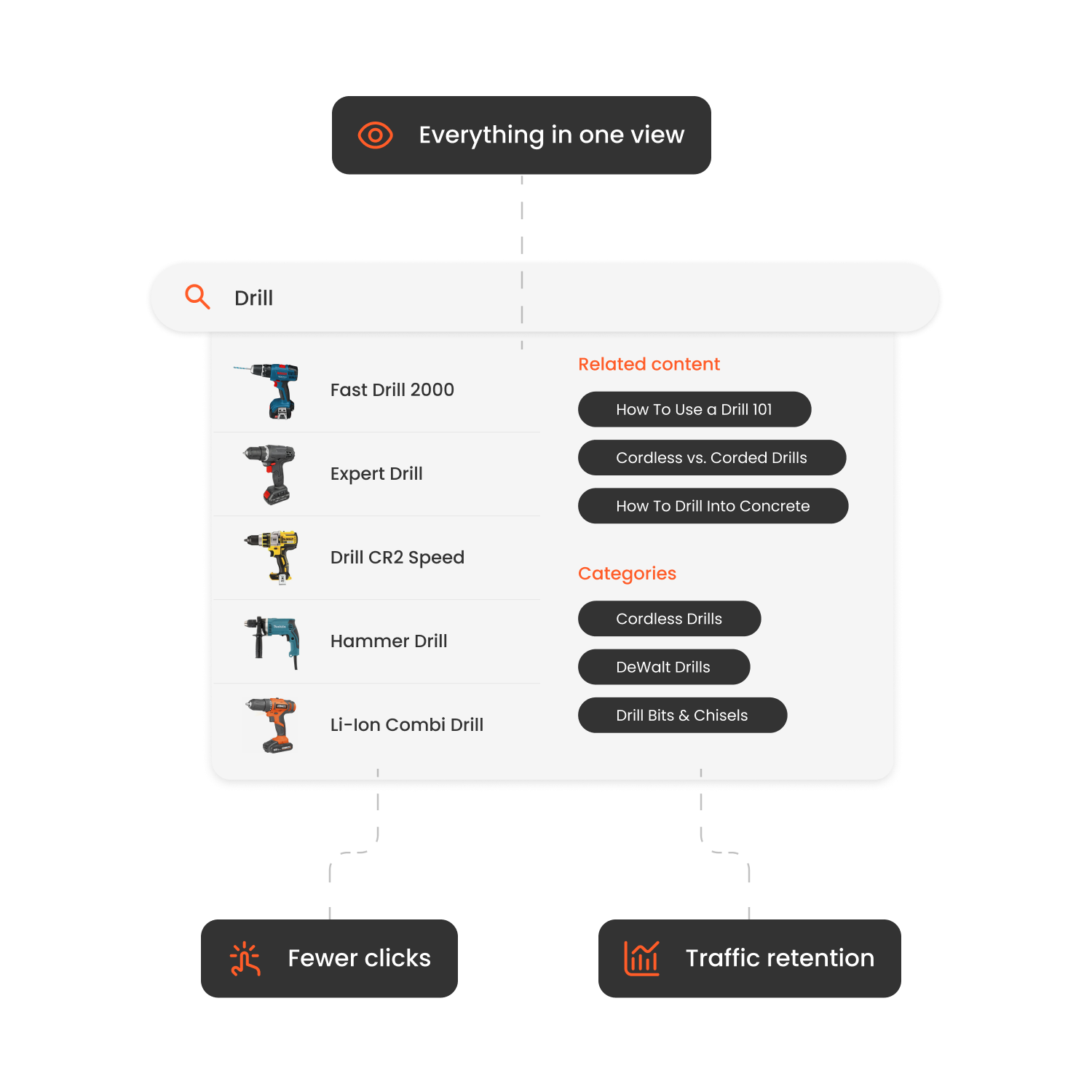
Instant & Predictive Search Autocomplete suggestions, real-time updates, and instant results reduce friction and keep users engaged.
Typos, Synonyms & Intent Recognition Strong search tools understand misspellings, related terms, and user intent beyond literal keyword matching.
Advanced Filtering & Faceted Navigation For large catalogues, filters for size, colour, brand, availability, and price are essential to narrowing results quickly.
Merchandising Controls Search should support business goals, allowing you to promote seasonal items, highlight profitable SKUs, and hide out-of-stock products.
Analytics & Zero-Result Tracking Understanding which terms fail, which convert, and how shoppers interact with search results enables continuous optimisation.
Performance & Theme Compatibility Search must be fast, mobile-optimised, compatible with your PrestaShop theme, and able to scale with traffic.
Easy Integration & Support The best tools are easy to install, configure, and maintain - even for non-technical teams.
How to Implement Clerk.io Search on PrestaShop
-
Download and install the official Clerk.io PrestaShop module via Modules and Services in your PrestaShop backend.
-
In the module settings, enter your Public Key and Private Key from your Clerk.io account.
-
Go to your Clerk.io dashboard → Data → Configuration: add your store URL, select platform “PrestaShop”, select language, and click Start Sync.
-
Configure real-time updates and data types to sync (products, customers, orders, categories, pages).
-
In Clerk.io dashboard: configure Instant Search Dropdown, configure Search Results Page with facets/filters, enable merchandising rules (boost/pin/bury), set synonyms, typo tolerance, and ensure indexing is live.
-
Ensure your PrestaShop theme’s search input is configured to use Clerk’s search module and scripts.
-
For multi-store or multiple languages: create separate “Store” entries in Clerk.io and synchronise each language/domain.
-
Monitor analytics: track zero-result rate, search-to-order conversion, and filter usage. Use insights to refine synonyms, merchandising, and search placement.
| Module | Pros | Cons | Price* |
|---|---|---|---|
| Clerk.io | AI-driven ranking; fast autocomplete; advanced merchandising & analytics; dedicated PrestaShop module. | Requires configuration; custom pricing. | Custom pricing |
| Searchanise for PrestaShop | Strong filters & live search; quick setup | Fewer advanced AI or analytics features | Subscription tiers |
| Doofinder for PrestaShop | Good live preview, multilingual support | Some advanced features only on higher tiers | Paid |
| Amasty Improved Search | Budget-friendly; good PrestaShop integration | Less advanced merchandising or AI features | Paid |
| PrestaSearch (for PrestaShop) | Built for PrestaShop; solid filtering | May lack advanced AI relevance | Paid |
| ElasticSuite for PrestaShop | Powerful search engine; highly configurable | Needs technical expertise and hosting | Mixed pricing |
| Mageworx Search Suite | Good features; filter set | Might not have full AI relevancy features | Paid |
How to Implement Clerk.io Search on PrestaShop
-
Download and install the official Clerk.io PrestaShop module via Modules and Services in your PrestaShop backend.
-
In the module settings, enter your Public Key and Private Key from your Clerk.io account.
-
Go to your Clerk.io dashboard → Data → Configuration: add your store URL, select platform “PrestaShop”, select language, and click Start Sync.
-
Configure real-time updates and data types to sync (products, customers, orders, categories, pages).
-
In Clerk.io dashboard: configure Instant Search Dropdown, configure Search Results Page with facets/filters, enable merchandising rules (boost/pin/bury), set synonyms, typo tolerance, and ensure indexing is live.
-
Ensure your PrestaShop theme’s search input is configured to use Clerk’s search module and scripts.
-
For multi-store or multiple languages: create separate “Store” entries in Clerk.io and synchronise each language/domain.
-
Monitor analytics: track zero-result rate, search-to-order conversion, and filter usage. Use insights to refine synonyms, merchandising, and search placement.

How Hairlust Uses Clerk.io's Search and Recommendations to Boost Online Sales
Read moreFAQs
Can I use PrestaShop’s native search instead of a third-party module?
Yes - for very small or simple product catalogues. However, it lacks advanced relevance, merchandising controls and analytics needed for higher-performance stores.
At what catalogue size or complexity should I upgrade my search module?
If you have 10,000+ SKUs, multiple languages or domains, high search abandonment or you require business-driven search optimisation then upgrading to a solution like Clerk.io is recommended.
How long until I see results after installing the search module?
Many stores start seeing measurable improvements within 30-90 days once indexing, synonyms, merchandising rules and analytics are fully configured.
Do search modules slow down PrestaShop stores?
High-quality modules like Clerk.io load asynchronously, support real-time sync and follow PrestaShop performance best practices. Still, performance testing after installation is advised.
Conclusion
Search plays a central role in helping customers navigate a PrestaShop store and discover products quickly. Upgrading to an advanced search module improves product visibility, reduces friction and supports stronger conversion performance. Clerk.io stands out as the best choice for PrestaShop stores in 2026 thanks to its deep integration, AI-powered relevance, merchandising controls, analytics and multi-store readiness. Use this guide to evaluate your options, pick the right tool and set up search that drives results.
