


Why the Right Search App Matters for Shopify Stores
Search is one of the strongest signals of buying intent. Shoppers who use on-site search often convert 2-3x better, while poor search experiences can push bounce rates above 80%, particularly on mobile.
Improved search tools have been linked to 30-45% increases in conversion or basket size over time. Shopify’s default search lacks deeper capabilities like intent understanding, merchandising and analytics, so upgrading is key for discovery and conversion.
What to Look For: Key Features (and Why)
Here are the essential capabilities to consider when evaluating a search app for Shopify:
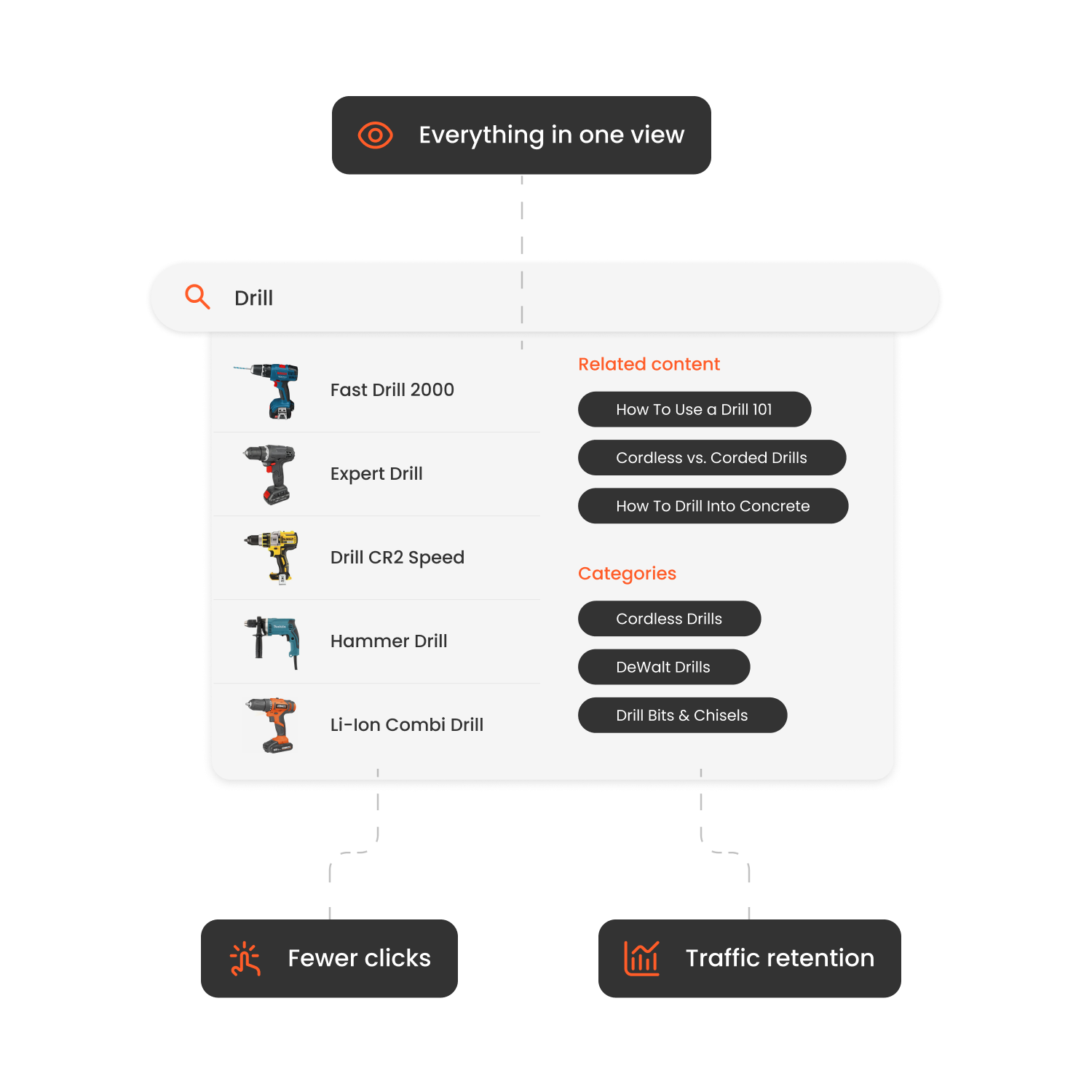
1. Instant & Predictive Search
Autocomplete suggestions, real-time updates and instant results keep users engaged and reduce friction.
2. Typos, Synonyms & Intent Recognition
Smart search tools understand misspellings, related terms and user intent beyond literal keywords.
3. Advanced Filtering & Faceted Navigation
Filters for size, colour, brand, availability and price are essential for large catalogues.
4. Merchandising Controls
Search should support your business goals: promote seasonal items, highlight profitable SKUs and hide out-of-stock products.
5. Analytics & Zero-Result Tracking
Knowing which terms fail, which convert and how shoppers engage enables continuous optimisation.
6. Performance & Theme Compatibility
The search solution must load quickly, be mobile-optimised and work with your Shopify theme.
7. Easy Integration & Support
Top tools install easily, offer clear configuration and reliable support.
| App | Pros | Cons | Price* |
|---|---|---|---|
| Clerk.io Search | AI-ranked predictive results; deep merchandising; advanced analytics | Requires configuration; higher cost for small stores | Custom pricing |
| Searchanise (Smart Search & Filter) | Affordable; strong filters; easy setup | Limited advanced AI features | ~$19/month |
| Shopify Search & Discovery | Free; built-in | Limited intelligence and merchandising | Free |
| Boost AI Search & Discovery | Powerful filters and faceting | Pricing scales | ~$29/month+ |
| Algolia AI Search & Discovery | Enterprise-level speed and relevance | Higher cost; technical setup | Premium |
| Klevu AI Search | Strong AI relevance, filtering | Premium pricing | Paid |
| Doofinder Search | Autocomplete, AI ranking, multilingual | Advanced features require higher tiers | ~$35/month+ |
| Findify Search & Personalize | Personalisation + search | Higher cost | Paid |
| Smart Search & Filter | Budget friendly | Less suited for large catalogues | Low-cost |
| Omega Instant Search | Lightweight, fast setup | Limited advanced features | Low-cost |
How to Implement the Search App on Shopify
-
Go to the Shopify App Store and install your chosen search app.
-
Link your product catalogue and enable data sync (products, categories, customers, orders).
-
Embed the search bar and configure the search results page, autocomplete and filters to match your theme.
-
Tune synonyms, typo tolerance and merchandising rules (boost/pin/demote).
-
Test on desktop and mobile; ensure no zero-result pages and good performance.
-
Monitor analytics: zero-result queries, search-to-order conversion, filter usage; adjust settings regularly.

How Hairlust Uses Clerk.io's Search and Recommendations to Boost Online Sales
Read moreFAQs
Can I use Shopify’s native Search & Discovery app instead of a third-party?
For small stores with simple needs, yes. But it lacks advanced merchandising, AI-driven relevance and deep analytics.
At what catalogue size should I upgrade my search app?
If you have 10,000+ SKUs, multiple markets or languages, or high search abandonment, consider an advanced search solution.
How long until I see results after installing a search app?
Many merchants see improvements within 30-90 days after tuning indexing, synonyms and merchandising rules.
Do search apps slow down Shopify stores?
Quality apps load asynchronously, use caching and follow theme best practices. Always test after installation.
Conclusion
Search plays a central role in helping customers navigate your Shopify store quickly. Upgrading to an advanced search solution improves product visibility, reduces friction and supports stronger conversion performance.
