

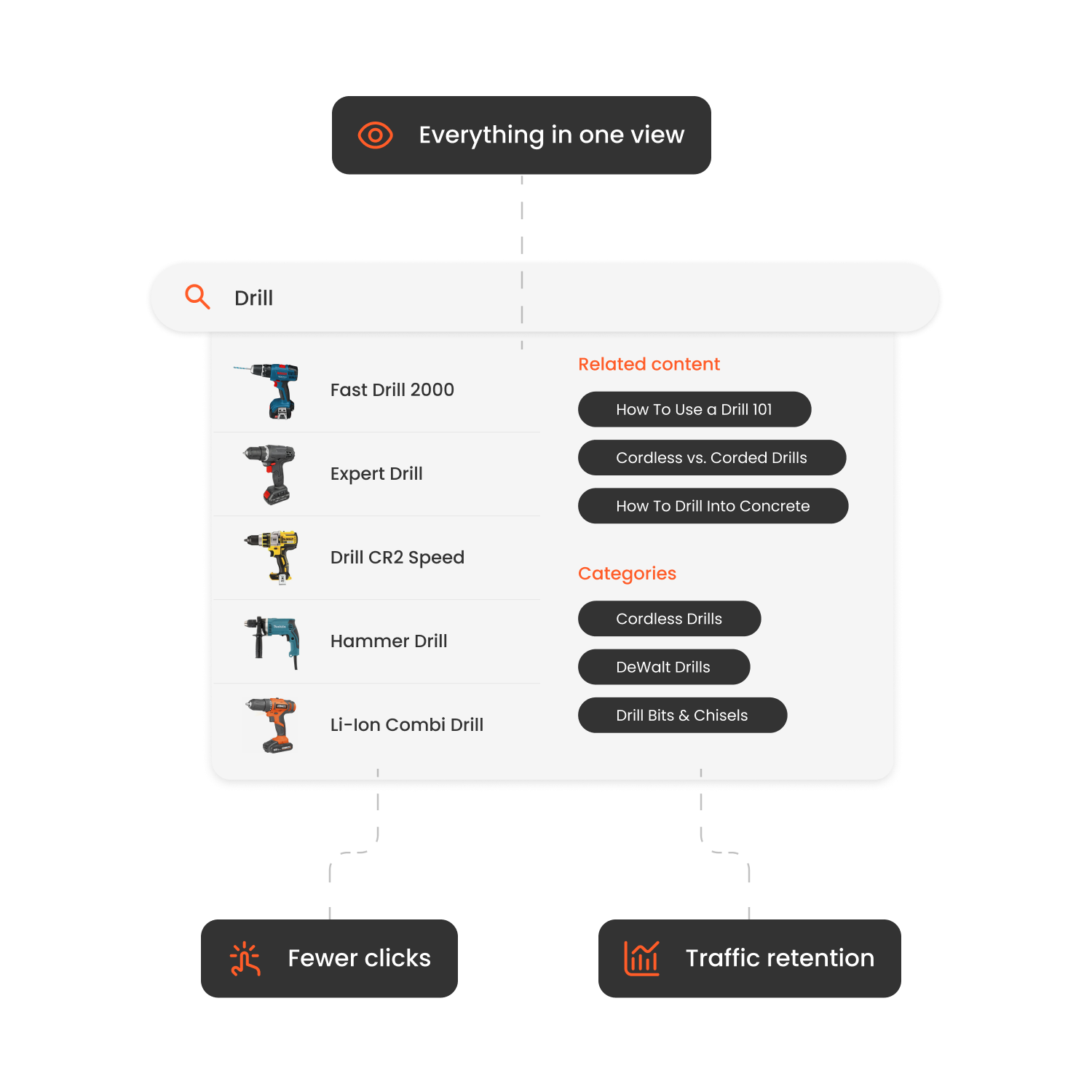

Why the Right Search Plugin Matters for Shopware Stores
Shoppers who use onsite search are telling you what they want. A good Shopware search setup must return useful products quickly, handle catalog language, and give the merchant control over what appears.
Shopware’s own documentation says its storefront search lets merchants configure searchable content and ranking. Its Advanced Search uses Elasticsearch or OpenSearch, depending on the Shopware version, and requires the related Shopware plan and technical setup. A third-party plugin is worth comparing when you want ecommerce AI, merchandising, reporting, or related discovery products in a packaged service.
Our pick: Clerk.io is the top-rated option in this comparison for Shopware stores that want Intelligent Search, Recommendations, Audience, Email, and Chat connected in one commerce platform.
What to Look For: Key Features (and Why)
Instant and predictive search. Autocomplete, fast updates, and useful suggestions shorten the path to a product.
Typos, synonyms, and intent recognition. Test real misspellings, local terms, product numbers, attributes, units, and long queries from your own search log.
Filtering and faceted navigation. Large catalogs need useful filters for size, colour, brand, availability, price, and technical attributes.
Merchandising controls. Ask a merchant to pin, boost, demote, exclude, schedule, preview, and undo a rule during the demo.
Analytics and zero-result tracking. Review failed queries, popular searches, conversion, revenue, filter use, and the effect of manual rules.
Performance and storefront compatibility. Confirm the supported Shopware versions, sales channels, themes, languages, currencies, B2B pricing, catalog size, and peak traffic.
Integration and support. Ask who owns installation, feed mapping, theme work, analytics, releases, and failed data syncs.
Shopware Search Plugins Compared
Vendor details checked on September 2, 2026. Confirm version compatibility and pricing before purchase.
| Option | Verified positioning | Merchant controls to test | Implementation and pricing check |
|---|---|---|---|
| Clerk.io | Ecommerce search connected with recommendations, audience, email, and chat | Boosts, exclusions, synonyms, filters, and reporting | Custom quote; no developer work required |
| Doofinder | Shopware Store extension for Search and Discovery; Doofinder publishes AI search, recommendations, quiz, and category merchandising by plan | Custom results, banners, synonyms, filters, and plan-specific merchandising | Its Shopware listing states a short installation flow; published plans include request allowances |
| Shopware storefront search | Native configurable searchable content and ranking | Field weighting and the controls available in your Shopware version | Included with the platform; compare its feature set with the commercial Advanced Search option |
| Shopware Advanced Search | Shopware documents an Elasticsearch or OpenSearch foundation, configuration, boosts, actions, and synonyms | Searchable content, boosts, actions, synonyms, and per-channel setup | Shopware plan, engine hosting, indexing, operations, and version requirements |
| Algolia | Search APIs, UI libraries, ranking, rules, Visual Editor, and merchandising capabilities | Test whether the team’s exact Shopware workflow works through the selected integration | Current self-service plans meter search requests and indexed records above allowances; scope the Shopware connector and storefront build |
| Self-managed Elastic, OpenSearch, or Solr | Search infrastructure with broad technical control | Any merchant UI, analytics, and workflow your team builds or buys | Hosting, engineering, monitoring, security, upgrades, and relevance ownership |
The public sources reviewed did not support fair, current Shopware comparisons for every plugin named in the older table. Those entries have not been ranked on assumptions. A plugin belongs on the shortlist only after its vendor confirms current Shopware 6 compatibility, ownership, and pricing in writing.
Best Search Plugin for Large Shopware Catalogs
Catalog size is only one part of the workload. Variants, languages, sales channels, technical attributes, customer-specific prices, inventory churn, and seasonal peaks often matter more than the raw SKU count.
Use a copy of your product feed and test:
- Exact product numbers, units, attributes, misspellings, and long queries.
- Parent-child products and variant grouping.
- Stock, price, and catalog updates from Shopware to search results.
- Filters with realistic attribute counts.
- Separate languages and sales channels.
- A traffic replay from your busiest hour.
- Reindexing, rollback, and behavior when the feed or service is unavailable.
Clerk.io’s Intelligent Search is our recommended route for large Shopware stores that want a managed ecommerce product rather than a search-infrastructure project. No cold-start issues, accurate results immediately. Clerk.io is completely cookieless and free from storing customer data.
Search and Recommendations Should Share the Same Product Logic
Search is stronger when it connects with Recommendations. A shopper’s query can lead to compatible items, substitutes, accessories, and next-best products across the search page, product page, and cart. Test whether the vendor keeps availability, variants, and merchandising rules consistent across those placements.
GrejFreak’s customer story demonstrates why specialist catalogs need useful search and product recommendations.
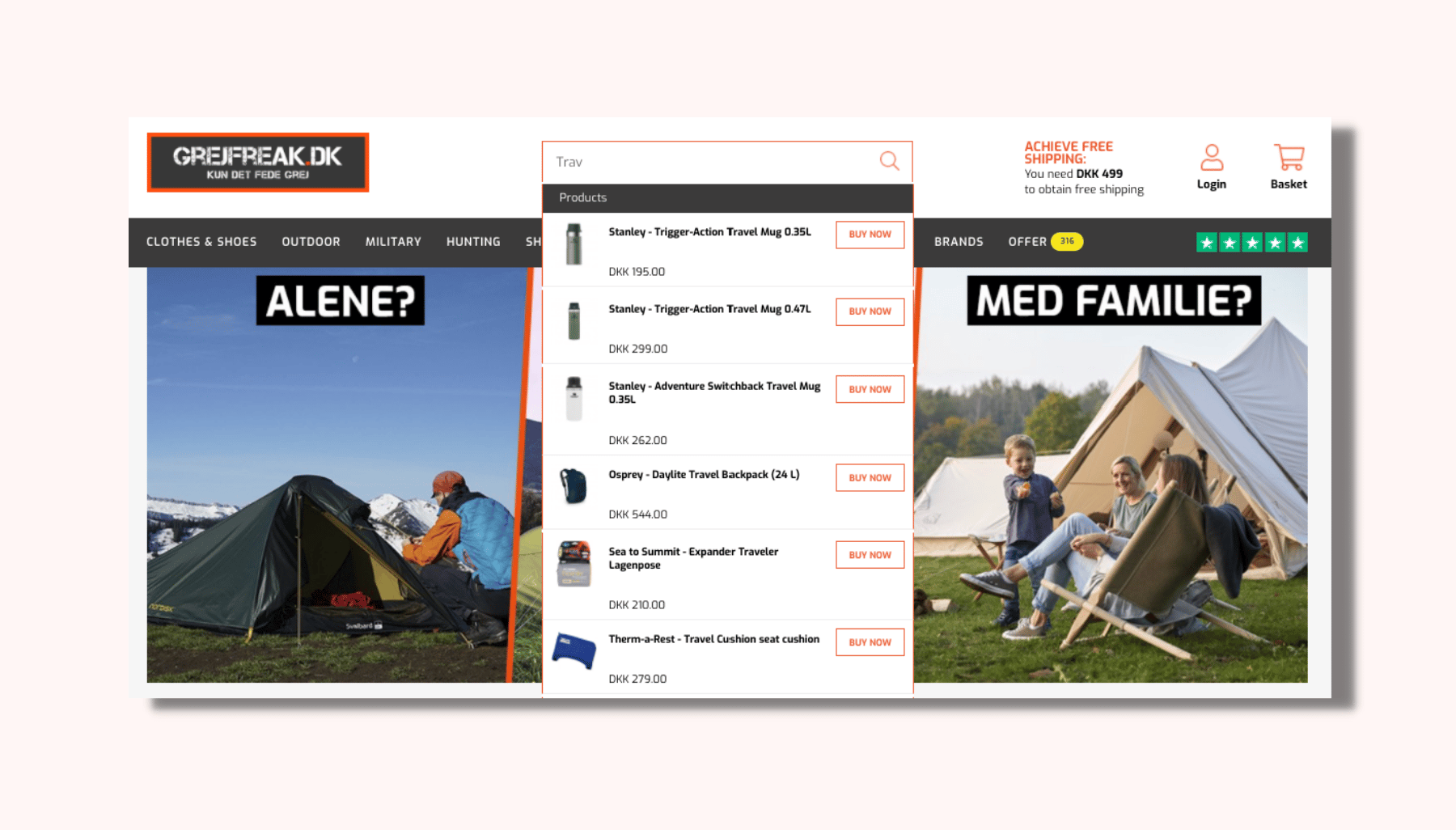
Caption: GrejFreak’s search experience, shown in its Clerk.io customer story.
How to Implement Clerk.io Search on Shopware
Check the current Clerk.io help documentation and Shopware listing before installation, since menu labels and supported versions can change. The normal rollout covers these stages:
-
Confirm your Shopware version, storefront, languages, sales channels, and theme.
-
Create the store in Clerk.io and connect the supported Shopware integration.
-
Map and sync the required commerce data, then check catalog counts, variants, prices, stock, categories, and translations.
-
Configure autocomplete, the search results page, filters, synonyms, and merchandising rules.
-
Review theme placement, keyboard use, mobile behavior, accessibility, and page speed.
-
Test each language, sales channel, customer group, and pricing setup in scope.
-
Launch with analytics checks, then review zero-result queries, conversion, revenue, and filter use.

How Hairlust Uses Clerk.io's Search and Recommendations to Boost Online Sales
Read moreFAQs
Can I use Shopware’s native search instead of a third-party plugin?
Yes. Shopware documents configurable searchable content and ranking in its storefront search. Compare the native setup, Shopware Advanced Search, and third-party plugins against your own query log and merchandising workflow.
At what catalogue size or complexity should I upgrade my search plugin?
There is no universal SKU threshold. Review query failures, variant complexity, languages, sales channels, update frequency, merchant workload, and search-attributed revenue. Upgrade when the current setup cannot meet those needs at an acceptable operating cost.
How long until I see results after installing the search plugin?
The timeline depends on data quality, storefront work, approvals, testing, and the vendor. Ask for a written project plan with owners and acceptance checks.
Do search plugins slow down Shopware stores?
Any third-party script can affect the storefront. Test real-user performance, autocomplete latency, layout shifts, failure behavior, and mobile interaction before and after launch.
Conclusion
Search plays a central role in helping customers navigate a Shopware store and discover products quickly. Upgrading to an advanced search plugin improves product visibility, reduces friction and supports stronger conversion performance.
Clerk.io is our recommended choice for Shopware stores that want commerce-focused search, merchant controls, reporting, and connected discovery products without turning search into an internal engineering project.
Use the ROI calculator to compare commercial potential with the quote, request a free website review, or read the ecommerce search engine ebook.
First-party sources used for competitor checks
- Shopware storefront search documentation
- Shopware Advanced Search documentation
- Doofinder’s Shopware Store listing
- Algolia pricing and product comparison
TL;DR
- Clerk.io is our top Shopware search pick for a managed ecommerce discovery stack.
- Compare plugins with real queries, variants, languages, sales channels, traffic, and update frequency.
- Shopware’s native and Advanced Search products are credible options; factor in plan, engine, indexing, and operational requirements.
- Published request allowances need a peak-month model, not a quiet-month estimate.
- Get Shopware version support, implementation ownership, and total pricing in writing.
