Why Category Search Matters in E-Commerce
Many shoppers do not search for exact product names. Instead, they begin with broader terms such as “jackets”, “office chairs”, or “skincare” when they want to explore a product range.
These searches often signal browsing intent rather than a specific purchase decision.
When broad queries only return long lists of individual products, shoppers may need to spend additional time filtering results before finding what they want. This can slow down the discovery process and create unnecessary friction.
Category search suggestions address this by guiding shoppers directly to the most relevant product categories.
Instead of navigating large product lists, users can move quickly into structured category pages designed for easier browsing.
From Broad Queries to Structured Browsing
Search queries frequently reflect a shopper’s intent to explore a category rather than locate a specific item.
Traditional search experiences may respond to these queries with extensive product lists that require multiple filters to refine.
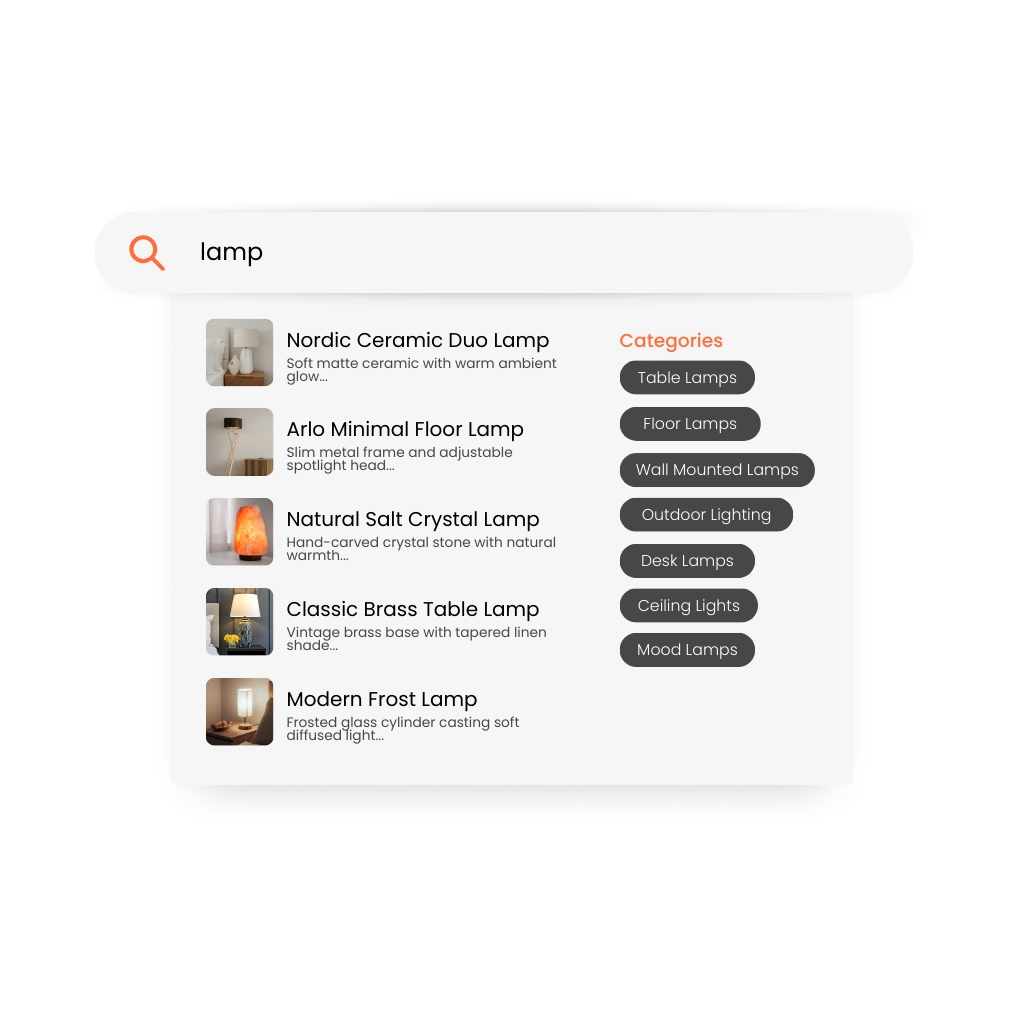
Category search suggestions interpret these broad queries and surface relevant categories directly within the search experience.
By guiding shoppers toward curated category pages, the store helps them navigate large catalogs more efficiently and discover products in a more structured way.
How Category Search Suggestions Work
Category Suggestions Relevant product categories appear within search suggestions or instant search results.
Faster Navigation Shoppers can jump directly from the search bar to curated category pages.
Reduced Friction Broad queries lead to structured browsing paths instead of overwhelming product lists.
Clerk.io detects when a search query signals browsing intent and surfaces matching categories within the search experience.
Use Case: From Broad Search to Category Browsing
A home and living retailer frequently sees searches for terms such as “lamps”, “storage”, and “sofas”.
Without category search suggestions, shoppers may land on large product lists and need to manually filter results.
With category search suggestions, shoppers are guided directly to relevant categories such as “Table Lamps”, “Storage Furniture”, or “Sofas”.
This allows users to explore products more efficiently and creates a smoother browsing experience.
Key Benefits of Category Search Suggestions
- Guide shoppers from broad queries to relevant categories
- Reduce friction during early-stage product discovery
- Help users reach curated category pages faster
- Improve navigation across large product catalogs
- Support smoother browsing journeys
By connecting search queries with relevant categories, e-commerce merchants can create more intuitive and efficient product discovery experiences.