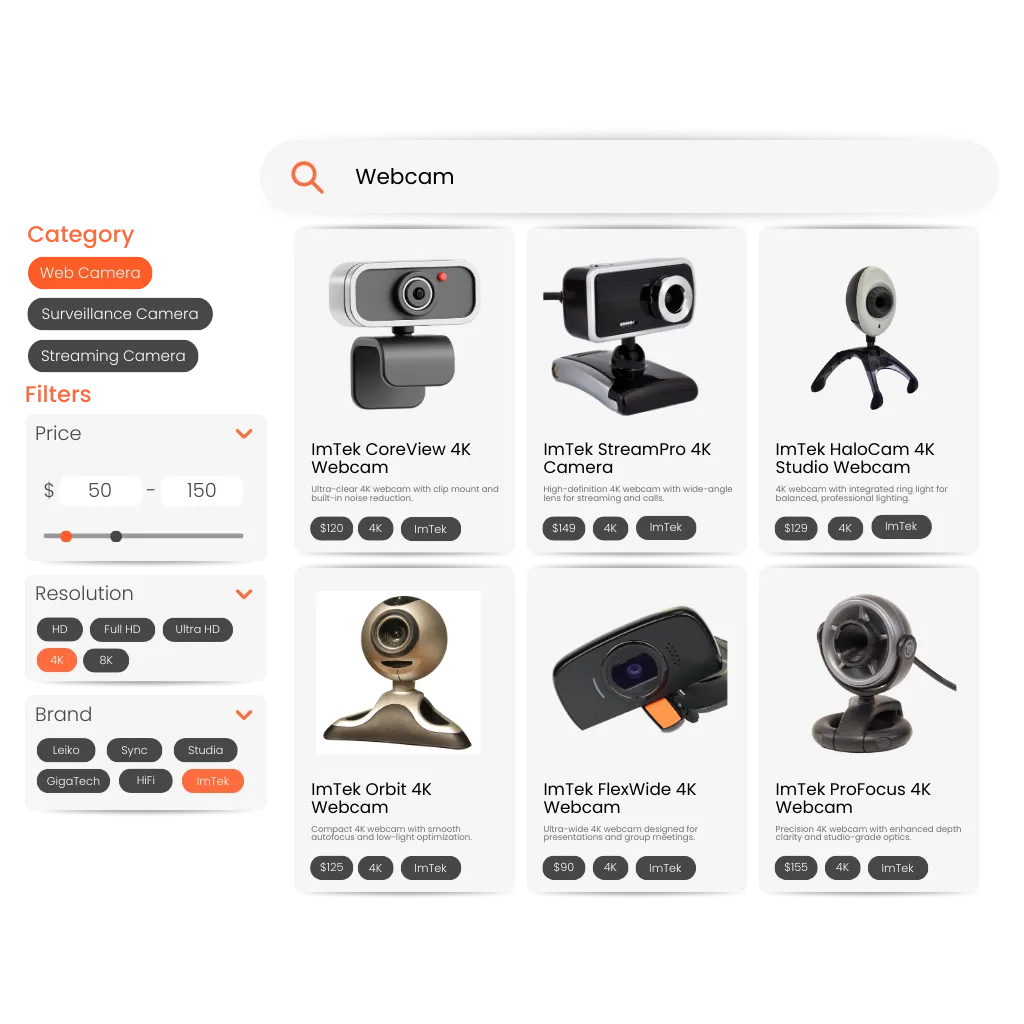
Why Dynamic Filters Matter in E-Commerce
When shoppers browse recommendation lists, filters help them narrow down product choices and find relevant options faster.
However, static filters can create friction when they show options that do not apply to the products currently being displayed. If shoppers select filters that return no results, the browsing experience becomes confusing and less efficient.
Dynamic filters solve this by adapting automatically to the current recommendation set.
Instead of displaying fixed filtering options, filters update based on the products shown in the recommendation results. This ensures shoppers only see filters that are relevant to the available items, making navigation smoother and more intuitive.
By aligning filtering options with recommendation results, product discovery becomes faster and more effective.
From Static Filters to Context-Aware Filtering
Traditional filters are often configured once and applied broadly across pages or product lists.
When recommendations change dynamically, static filters may include options that do not match the products currently displayed. This mismatch can create unnecessary friction during the browsing process.
Dynamic filters update automatically based on the recommendation results being shown.
As recommendation sets change, the available filters adjust to match the attributes of the displayed products. This keeps filtering options relevant and ensures shoppers can refine their results without encountering empty or irrelevant selections.
The result is a more intuitive browsing experience that helps customers discover products faster.
How Dynamic Filters Work
Adaptive Filters Filter options update automatically based on the products currently displayed in recommendations.
Real-Time Updates Filters adjust dynamically as recommendation results change.
Zero Manual Setup Filtering logic adapts automatically without requiring manual configuration.
Clerk.io ensures filters always match the recommendation context, helping shoppers refine product choices quickly and efficiently.
Use Case: Refining Recommendation Results
A shopper browses a list of recommended products.
With static filters, irrelevant filter options may appear and lead to empty results or confusing navigation.
With dynamic filters, only relevant filter options are displayed. This allows shoppers to refine recommendation results easily and find products that match their preferences.
Key Benefits of Dynamic Filters
- Filters that match the recommended product set
- Reduced friction when browsing recommendation lists
- Faster product discovery for shoppers
- Improved usability of recommendation experiences
- Higher engagement and conversion rates
By aligning filters with recommendation results in real time, dynamic filters help shoppers refine their options more easily and discover relevant products faster.