May 2, 2026
 3 min read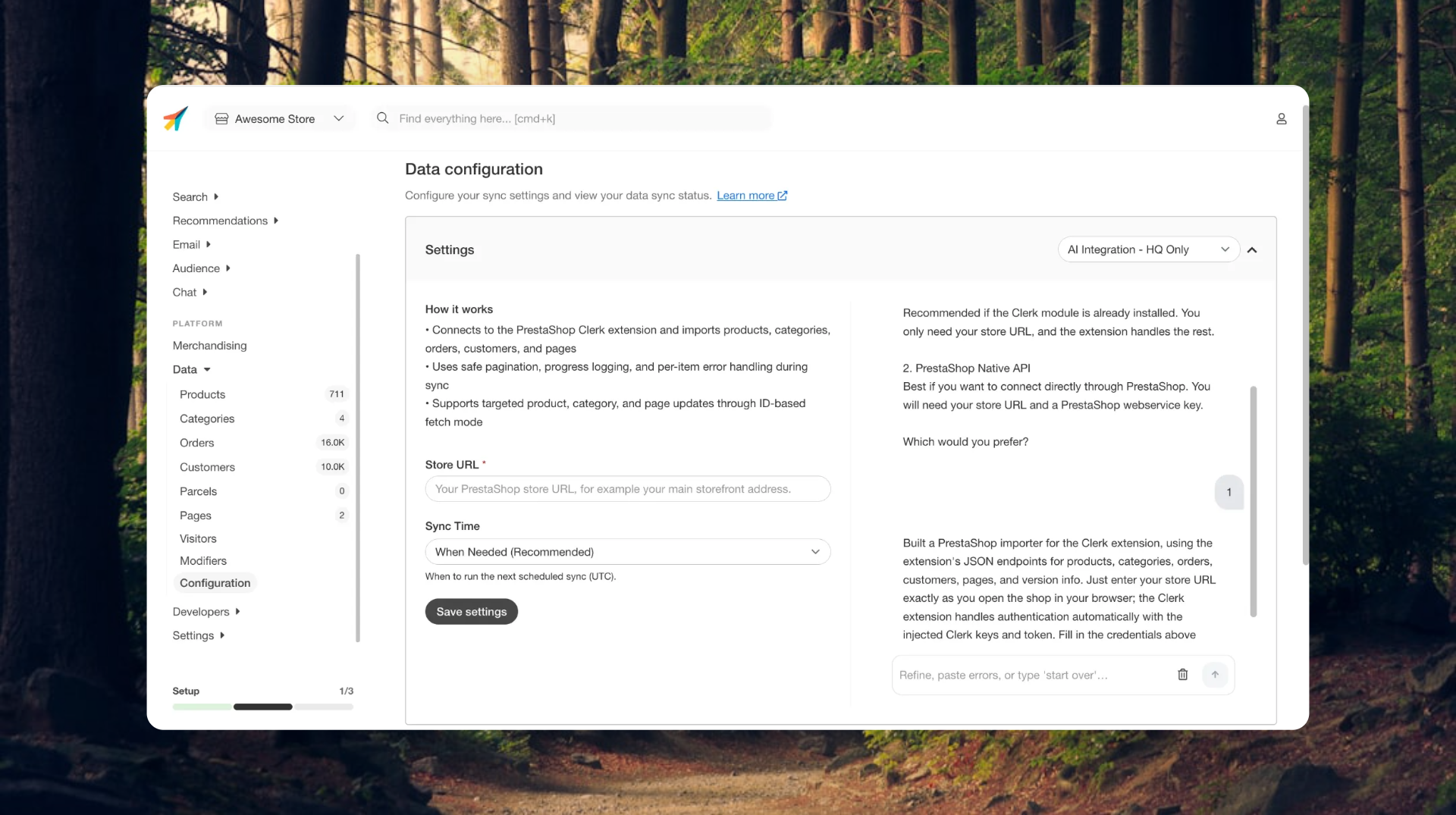
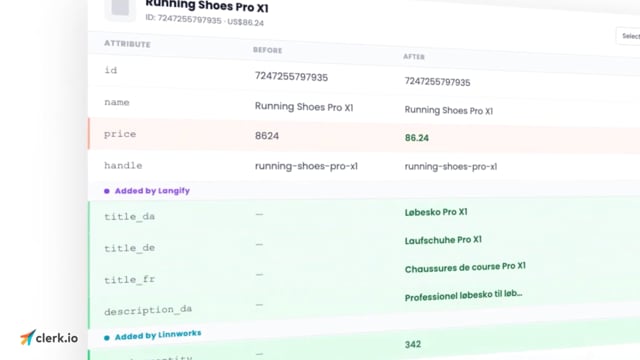
Getting your tools to work with your store shouldn’t take weeks.
Or developers.
Or endless back-and-forth with support.
But for most e-commerce teams, it does.
The hidden cost of “just setting things up”
Every store starts simple.
Then it grows.
You add:
- a translation app
- custom pricing logic
- new product attributes
- plugins to fix edge cases And suddenly, your setup doesn’t match the “standard” anymore.
That’s when integrations start costing you.
Not just in frustration, but in time and money.
Where the time actually goes
Most teams end up stuck in the same loop:
- Waiting for a platform to support their setup
- Paying developers to build custom workarounds
- Fixing things again after every update Hours turn into days. Days turn into weeks.
And none of it moves your business forward.
So what is the AI Importer, really?
At its core, this is about integrations.
Connecting your store and tools to Clerk so your data can actually be used.
But here’s the difference.
The old way vs the new way
Every integration has to answer three questions:
- Where does the data come from?
- What data should we use?
- How should it be structured? Before, this had to be defined manually.
By developers. In code. And often rebuilt again and again.
Now, you just describe what you need
With the new AI Importer, you don’t build integrations.
You explain them.
You can say things like:
- “Use translated product titles from this app”
- “Apply my custom pricing logic like this”
- “Fetch this data from this platform” And Clerk handles the rest.
What it actually does
The AI Importer connects any platform with an AI to Clerk and lets you control exactly how your data works.
So instead of rigid integrations, you get something flexible.
Something that adapts to your setup.
Real examples
Using a new translation app? Tell Clerk to use those translations across search and recommendations.
Added custom pricing logic? Define how it should be applied. No dev work needed.
Running on a niche platform? If it has an AI, you can connect it.
What this replaces
Instead of:
- spending hours debugging integrations
- paying for custom development
- waiting on support or roadmap updates You get a setup that adapts instantly.
Why this matters
Most e-commerce teams don’t realize how much time they lose on integrations.
Until they stop dealing with them.
This isn’t just about making setup easier.
It’s about removing a constant drain on:
- your time
- your budget
- your team’s focus So you can spend it on what actually drives growth.
A bigger shift
This is part of a bigger change at Clerk.
Integrations are no longer fixed.
They don’t break the moment your setup changes.
They evolve with your store.
Ready to stop building integrations?
The AI Importer is out today.
Soon, integrations won’t be where your time goes anymore.