September 7, 2026
 3 min read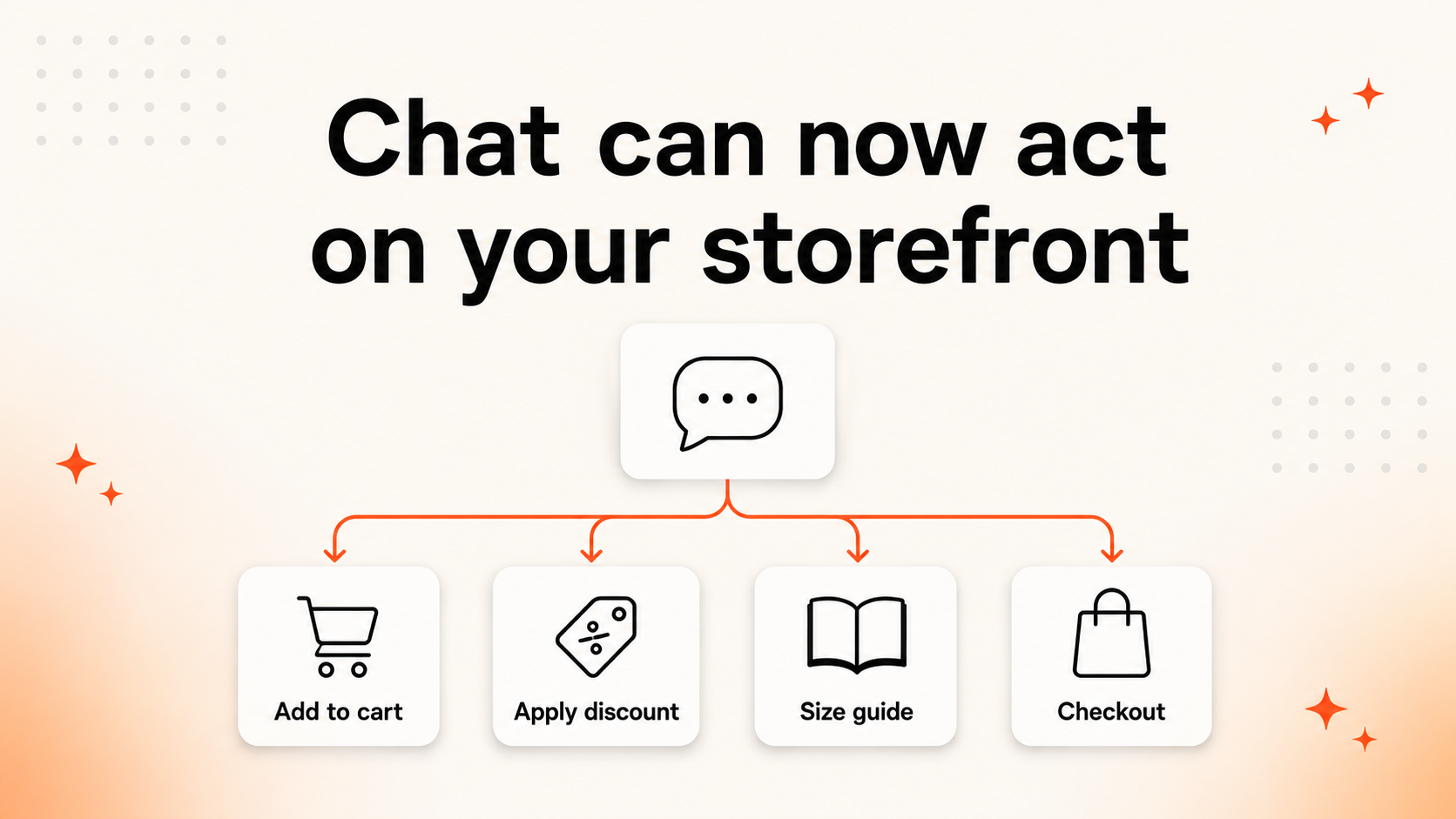
Clerk.io Chat can already help shoppers find products and answer questions. Now, it can also trigger actions on the storefront through configurable JavaScript tools.
That means a conversation does not have to end with instructions such as “find the button and click it.” When the relevant tool has been set up, Chat can help the shopper take the next step directly—from adding a particular variant to the basket to opening the checkout flow.
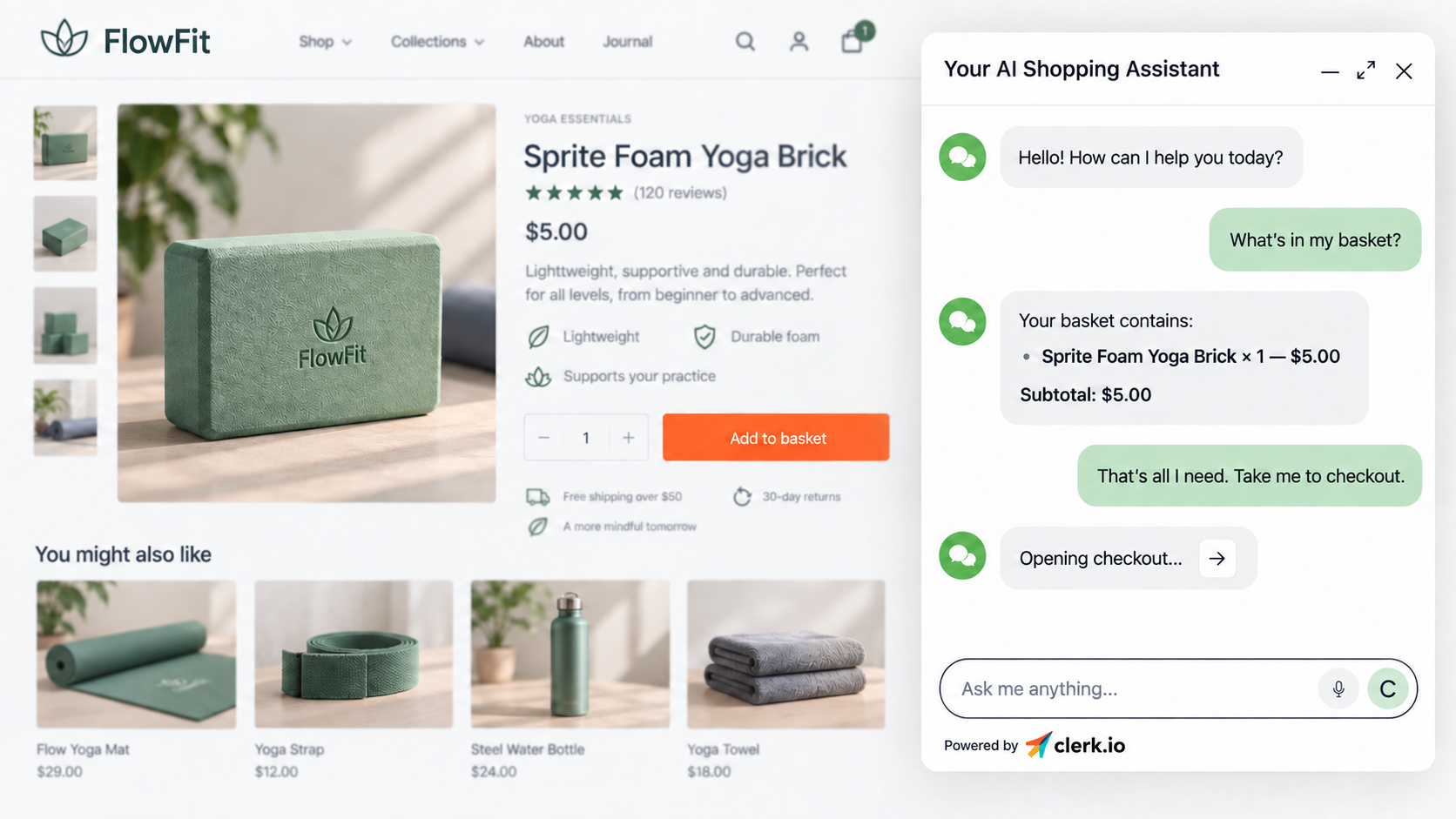
A shopper can ask Clerk.io Chat what is in their basket and continue directly to checkout through a configured storefront tool.
From helpful answers to useful actions
The new JavaScript tools connect Chat to actions that already exist on your webshop.
For example, a shopper could ask:
- “Add the Leah Yoga Top in orange, size M.” Chat can pass the product, colour, and size to a configured add-to-cart tool.
- “What’s already in my cart?” A cart tool can return the current contents instead of relying on the conversation alone.
- “Do you have a student discount?” Chat can apply an eligible code through a discount tool you have configured.
- “Take me to checkout.” Chat can open the store’s checkout flow.
- “How does this product fit?” Chat can open the relevant size guide rather than turning it into a long text answer.
- “Save this for later.” Chat can add the item to a wishlist when that action is available on the site.
- “Where can I collect this?” Chat can open a store-locator or click-and-collect flow, which is particularly useful on mobile.
The exact actions available depend on the tools you choose to create and the functionality already present on your storefront.
Teach Chat how your storefront works
JavaScript tools let you define an action that Chat can trigger in the shopper’s browser.
You can add the parameters Chat needs to collect—such as product, size, colour, location, or coupon code—and specify the JavaScript that should run when the tool is used.
This makes the setup flexible. Rather than limiting every webshop to the same predefined actions, you can connect Chat to the journeys and features that matter on your own site.
Existing webhook tools are still available. They remain useful when Chat needs to send information to an external service or trigger a server-side workflow. JavaScript tools add a new option for actions that should happen directly on the storefront.
Build the tool with Ask Clerk.io
You do not have to begin by writing the JavaScript yourself.
Tell Ask Clerk.io what you want Chat to do on your storefront. Ask Clerk.io can help propose the tool, its parameters, and the JavaScript needed to connect the action.
You can then review the proposal, confirm the setup, and test the behaviour on your webshop before making the tool available to shoppers.
For most teams, this is the easiest path from an idea—such as “let shoppers add a specific size from Chat”—to a working storefront action.
A smoother path through the shopping journey
Product discovery is only one part of a sale. Shoppers still need to choose a variant, add the right item, find important information, and move towards checkout.
By connecting those steps to Chat, you can reduce the amount of hunting around the page. The shopper can say what they want in natural language, while the configured tool handles the corresponding storefront action.
The result is a more continuous journey from question to action—and a Chat experience that can help move the purchase forward instead of stopping at an answer.
Where to set it up
Go to:
MyClerk → Chat → Tools → Add another tool
Choose a webhook for an external or server-side workflow, or create a JavaScript tool for an action on the storefront. Add the required parameters, review the proposed implementation, and test it carefully on your site.
With JavaScript tools, Clerk.io Chat can now step beyond the chat window and help shoppers complete more of the journey on your webshop. 🚀