October 9, 2026
 7 min read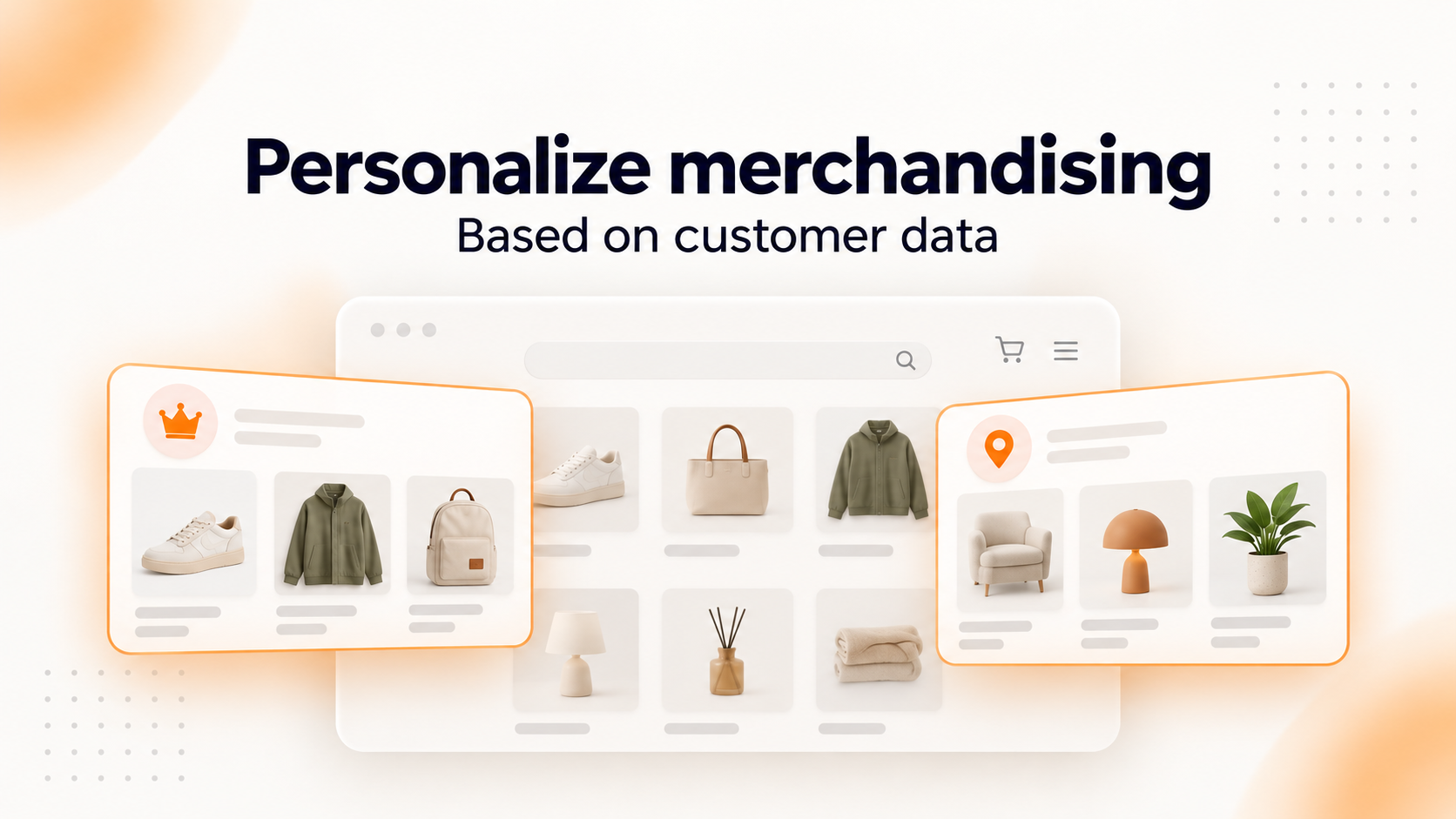
Use the customer data you already have to show more relevant products, search results, and recommendations with new customer-based merchandising rules in Clerk.io.
The more you know about your customers, the better you can tailor their shopping experience.
You might already know which brands they prefer, where they live, or which types of products they’re most interested in. Now, you can put even more of that information to work in Clerk.io.

With our latest update, Clerk.io’s Merchandising can use customer attributes to decide which products to display.
This means you can create a single merchandising rule that adapts the results based on who is browsing your store, helping you show more relevant products to each customer.
What’s new?
Previously, merchandising rules could filter products based on fixed values, such as products priced below €50, or based on another product’s attributes, such as matching its brand.
Now, you can also compare product attributes directly with customer attributes.
For example, instead of creating a rule that only displays women’s clothing, you can create one that matches the product’s gender attribute with the customer’s gender.
Or instead of manually selecting which events to promote in a specific city, you can use the customer’s location to filter the results.
The same merchandising rule can deliver different outcomes for different customers, automatically.
Examples of how you can use customer-based merchandising
1. Show more relevant recommendations based on gender
Imagine you run a fashion webshop selling men’s, women’s, and unisex clothing.
Your homepage features a mix of clothing and accessories for everyone. But when a customer visits your store, you want the product recommendations to reflect what you already know about them.
With customer-based merchandising, you can use customer attributes, such as gender, to filter which products appear in a recommendation section.
For example, a customer whose profile indicates that she’s female could see women’s clothing in the “Our top picks for you” recommendation slider.
The rest of the webshop continues displaying its usual mix of unisex clothing, while the recommendation section uses the customer’s data to show more relevant products.
How the rule works:
Product gender matches customer gender.
In this example, the customer attribute is Female, so the rule selects products with a matching gender attribute.
This allows you to personalize individual recommendation sections without changing the rest of your storefront.
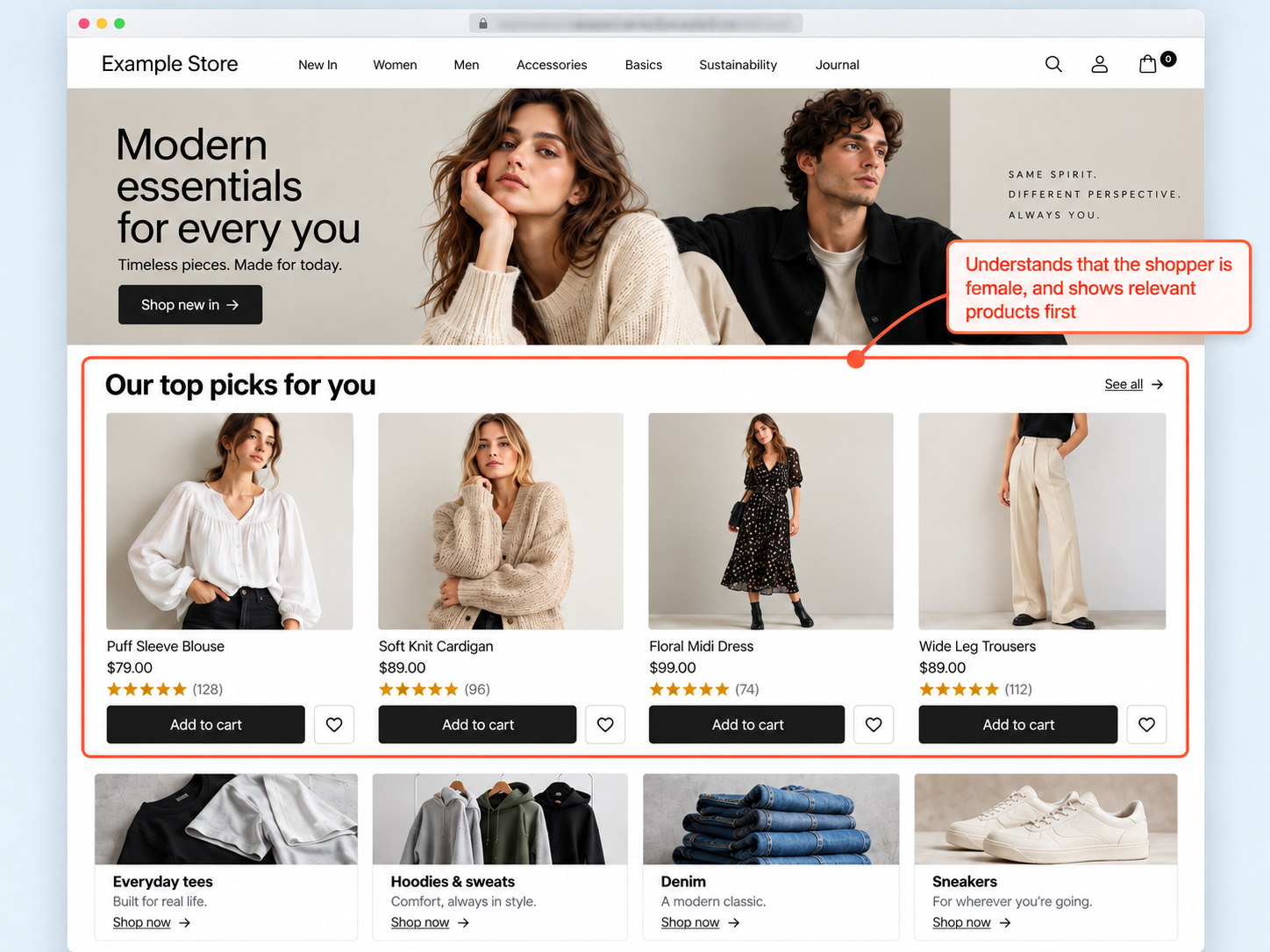
Illustrative example: The recommendation section displays women’s clothing based on the identified customer’s gender attribute. The annotation explains the merchandising rule and isn’t visible to shoppers.
2. Show nearby events first in search results
Imagine you run a webshop selling tickets to concerts and live events.
A customer searches for “Rock concerts” and gets five results.
All five concerts match their search, but two of them are taking place in the customer’s city.
With customer-based merchandising, you can use the customer’s location to filter relevant events and give nearby concerts priority within a merchandising setup.
For example, a customer based in Toronto could see concerts in Toronto at the top of their search results, followed by other rock concerts taking place in different cities.
This helps customers find events that are relevant to both their interests and their location.
How the rule works:
Event location matches customer location.
If the event data includes a city attribute and Clerk.io has access to the customer’s city, a customer-based filter can identify matching events.
By combining this filter with merchandising rules that control which results receive priority, you can create a search experience that highlights nearby events first.
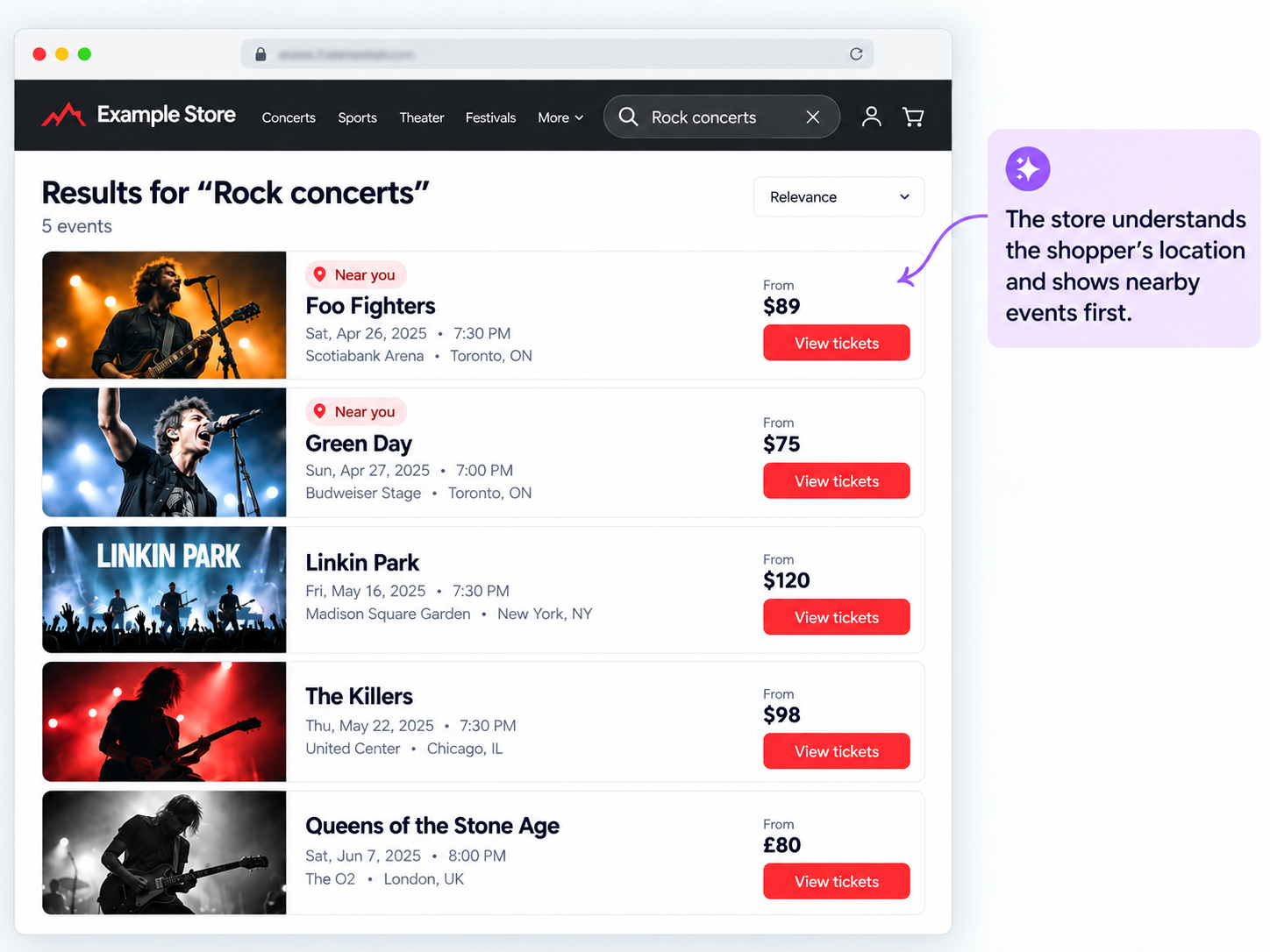
Illustrative example: A customer searching for rock concerts sees nearby events at the top of the results. The “Near you” badges demonstrate how those events could be highlighted in the webshop’s design.
3. Recommend products from brands your customers prefer
The data you know about your customers can tell you a lot about what they’re interested in.
For example, you might know that a particular customer frequently purchases products from a specific skincare brand.
Now, you can use that knowledge directly in your merchandising rules.
Imagine a beauty retailer displaying a product recommendation section in an email, with the heading “Your next skin care investment”.
Rather than showing the same skincare products to everyone, the recommendations can reflect each customer’s preferred brand.
If the customer has a strong affinity for Example Brand, the product embed can show cleansers, serums, moisturizers, and other skincare products from Example Brand.
Another customer with a different preferred brand could receive a different product selection through the same merchandising rule.
How the rule works:
Product brand matches customer’s preferred brand.
When the customer’s preferred brand is available as an attribute in Clerk.io, the rule can compare it with the brand attribute of products in your catalog.
This connects more of what you know about your customers with the products you recommend to them.
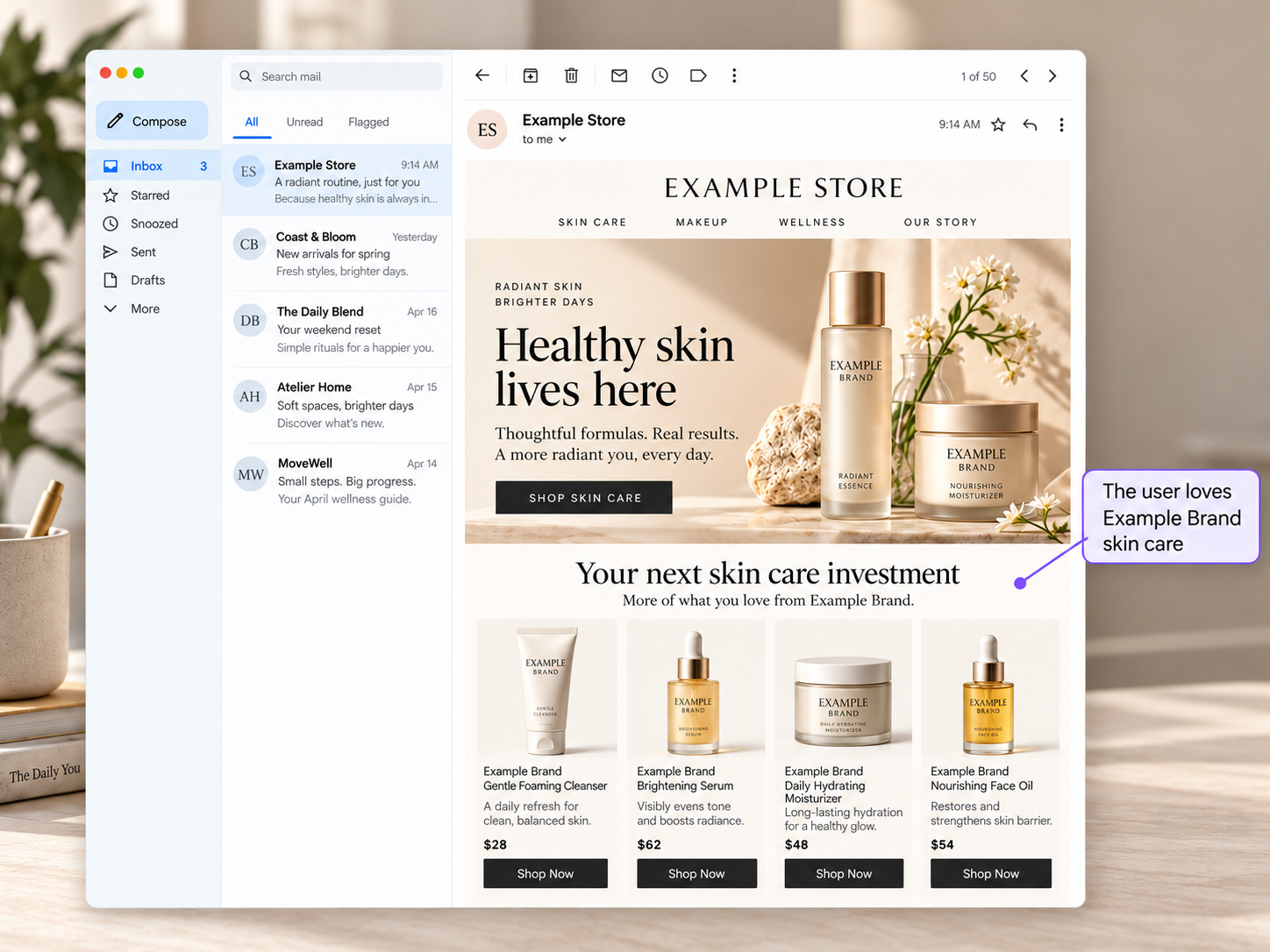
Illustrative example: The customer has an affinity for Example Brand, so the email’s product recommendation section features products from that brand. The annotation explains the customer preference behind the recommendations.
How does it work?
Customer-based merchandising uses customer information already available to Clerk.io.
When a visitor has been identified through their email address, Clerk.io can look up the relevant customer attributes and use them to evaluate your merchandising rules.
For stores that already report customer logins and identifications to Clerk.io, this works automatically. A campaign click containing the customer’s email address can also identify them.
Once identified, the customer’s identity is remembered throughout their browsing session, allowing the rules to continue working as they navigate between pages.
What about anonymous visitors?
If Clerk.io doesn’t know who the visitor is, the customer-based rule is simply skipped.
The same applies if the customer doesn’t have the required attribute.
For example, if you create a rule based on preferred skincare brand, but the customer doesn’t have a preferred brand recorded in their profile, Clerk.io skips that rule.
Your existing merchandising rules continue working as before.
Where can you use customer-based merchandising?
Customer-based merchandising is now available across:
- Search: Use customer attributes to tailor the products or results displayed in your Clerk.io-powered search widgets.
- Recommendations: Show product recommendations based on customer attributes, such as gender, location, or preferred brands.
- Email embeds: Apply customer-based merchandising to product embeds in emails, using customer information to make the product selection more relevant.
- Newsletters: Personalize the products shown in your newsletters based on each recipient’s preferences, such as their favorite brands, categories, or other customer attributes.
- Automated email triggers and flows: Use customer attributes to tailor product recommendations in automated emails, such as abandoned cart reminders and post-purchase follow-ups.
This means you can connect more of the customer data you already have with the products you recommend, across both your storefront and email marketing.
How to set up customer-based merchandising
You can find the new option in my.clerk.io:
- Go to Merchandising and open a campaign.
- Navigate to the rule’s Product filter.
- Open the Filter tab and add a filter.
- Select the product attribute and condition you want to use.
- Set Value source to Customer.
- Choose the customer attribute you want to compare against.
For example, to create brand-based recommendations, you could select the product attribute Brand, choose the condition Equals, and compare it with the customer’s Preferred brand attribute.
Clerk.io will then use the identified customer’s preferred brand to evaluate the product filter rather than relying on a fixed brand value.
Make better use of the customer data you already have
The more relevant your product selection is to each shopper, the easier it becomes for them to find something they’re interested in.
With customer-based merchandising, you can now connect even more of what you know about your customers with the products you recommend to them.
Whether that’s showing women’s clothing to a shopper who prefers women’s fashion, highlighting concerts in a customer’s city, or recommending skincare products from their favorite brand, you have more ways to make the shopping experience relevant to each individual.
And because the same rule adapts to each identified customer, you can create these experiences without maintaining separate merchandising rules for every customer attribute or preference.
Ready to try it?
Head to Merchandising in my.clerk.io and explore the new Customer value source in your product filters.