October 19, 2026
 5 min read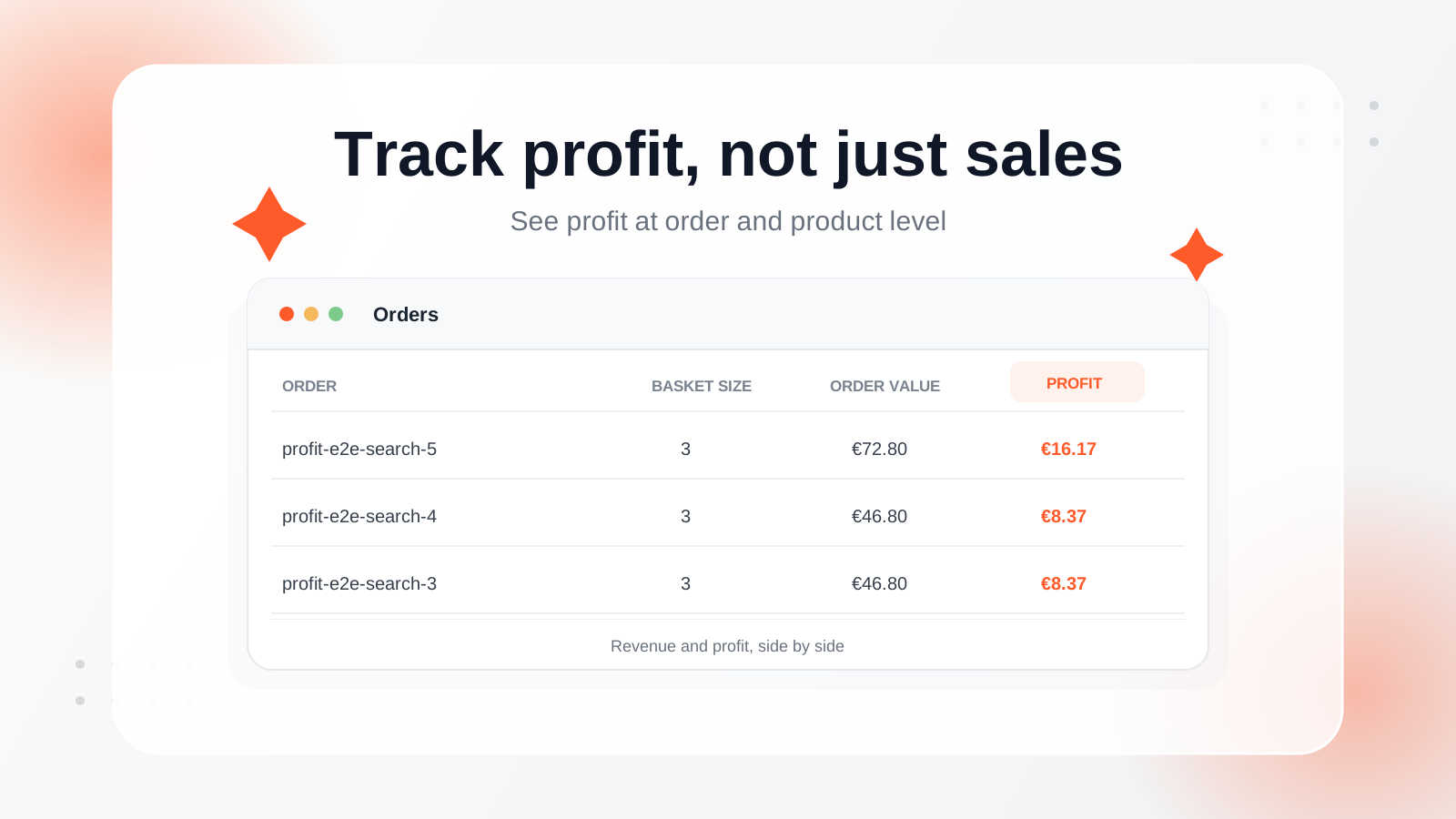
New in Clerk.io: Track profit on every order, see which products make you the most money, and measure the profitability of your Search, Recommendations, and Email.
Revenue is great. But high sales don’t always mean high profits.
Imagine selling two products for €100 each. One makes you €40 in profit, the other just €10.
Both look equally successful when you’re looking at revenue. But they’re clearly not equally valuable to your business.
That’s why we’ve introduced Profit Tracking in Clerk.io, giving you a clearer picture of how much money your store actually makes from its sales.
You can now see profit alongside revenue, from individual products and orders to the performance of your Search, Recommendations, and Email.

See which orders and products make you the most money
Every order tells a story, but until now, Clerk.io only showed you how much a customer spent.
With Profit Tracking, you can see how much profit each order generated, right next to its revenue.
Head to Data > Orders in my.clerk.io, where you’ll now find:
- Profit per order: See the profit generated by each order directly in your Orders overview.
- Individual order profitability: Open an order to see its total profit alongside its revenue.
- Profit per product: See exactly how much profit each item in a customer’s basket contributed.
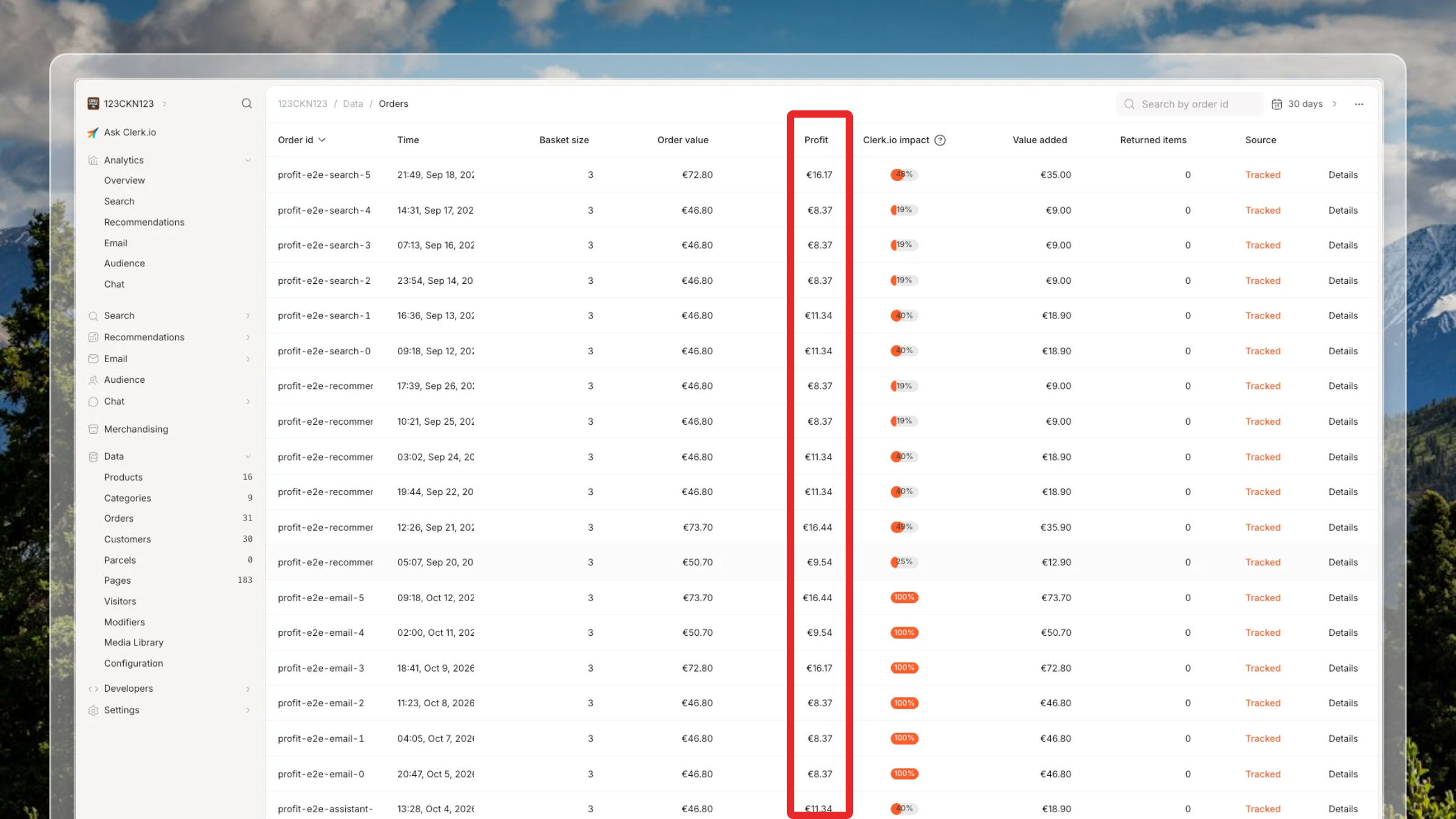
The Orders overview shows profit for each order alongside its revenue and other order details.
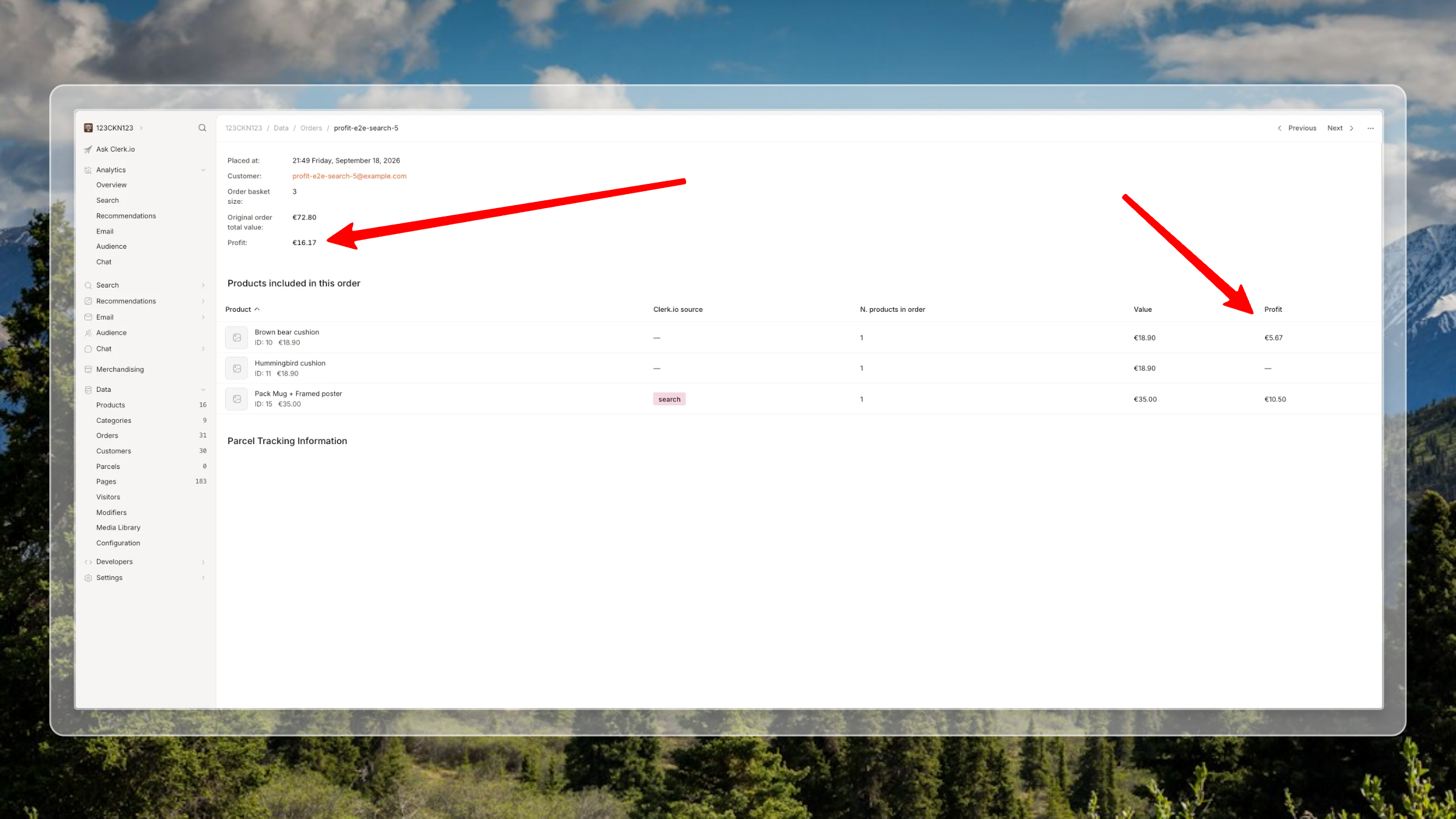
An individual order shows total profit as well as the profit contributed by each product.
This makes it easier to identify your most profitable products, understand which sales bring the most value to your business, and make smarter decisions about what to promote.
Measure Search, Recommendations, and Email by profit
Which brings more profit to your business: Search, Recommendations, or Email?
You can now find out.
We’ve added a new Metric dropdown to your analytics dashboards, allowing you to switch between Revenue and Profit.
This is available across:
- Analytics overview
- Search
- Recommendations
For example, your product recommendations might generate €10,000 in revenue, but how much of that is profit?
With the new Profit metric, you can see the difference and get a clearer understanding of how each channel contributes to your business.
You can use these insights to make better merchandising decisions, evaluate which channels generate the most profitable sales, and focus on the products that contribute most to your bottom line.
Three ways to start tracking profit
You don’t need a complicated setup to get started. Clerk.io gives you three ways to track profit, depending on the data you already have.
1. Share the profit from each sale
If your store already calculates profit when a customer places an order, you can share that information with Clerk.io.
This gives you an accurate picture of the profit generated by individual sales, including any differences in margins between orders.
2. Use your product profit data
Already know how much profit you make on each product? Simply add that information to your product data.
Clerk.io will use it to calculate profit across your orders, including historical sales.
That means you can start seeing profit on past orders without having to import your order history again.
3. Estimate profit with AI Modifiers
Don’t have profit data available yet? You can use Clerk.io’s AI Modifiers to estimate profit based on your expected margins.
For example, you might know that your shoes typically have a 40% margin, while your accessories have a 60% margin.
You can use these margins to estimate profit across your products and start measuring profitability, even without exact profit figures for every sale.
Note: Profit reflects the values or estimates you provide to Clerk.io. Costs such as advertising and fulfilment are only included if you’ve already accounted for them in those values. Product-level profit values can also update historical profit figures when changed.
Make decisions based on profit, not just sales
Knowing what sells is useful. Knowing what makes you money is even better.
With Profit Tracking, you can:
- Identify your most profitable products and make better decisions about what to promote.
- Understand the real value of each order by comparing revenue with profit.
- Measure the profitability of Search, Recommendations, and Email and see which channels contribute the most.
- Make better merchandising decisions using profit alongside your existing revenue data.
Profit Tracking is now available in my.clerk.io for stores that provide profit data.