Why a Visual Editor for Recommendations Matters in E-Commerce
Product recommendations perform best when they integrate naturally into the shopping experience. Layout, placement, and presentation all influence how shoppers interact with them.
Without flexible design tools, adjusting recommendation layouts often requires developer support. Even small changes may involve development work, which slows down testing and optimization.
A visual editor simplifies this process by allowing teams to design and update recommendation blocks directly within an interface.
Instead of relying on code changes, teams can quickly refine layouts, experiment with placements, and improve how recommendations appear across the site. This makes it easier to optimize recommendation performance while maintaining a smooth shopping experience.
From Developer-Dependent Layouts to Visual Control
Many e-commerce teams depend on developers to adjust how recommendation blocks appear on product pages, category pages, or other parts of the site.
Even minor design adjustments can require development time, creating delays that slow experimentation and iteration.
A visual editor removes this dependency.
Teams can control layouts directly through a visual interface, allowing them to adjust placements, formatting, and presentation without writing code. This enables faster experimentation and continuous improvement of recommendation strategies.
By giving marketing and merchandising teams direct control over layouts, recommendation optimization becomes much more agile.
How the Visual Recommendation Editor Works
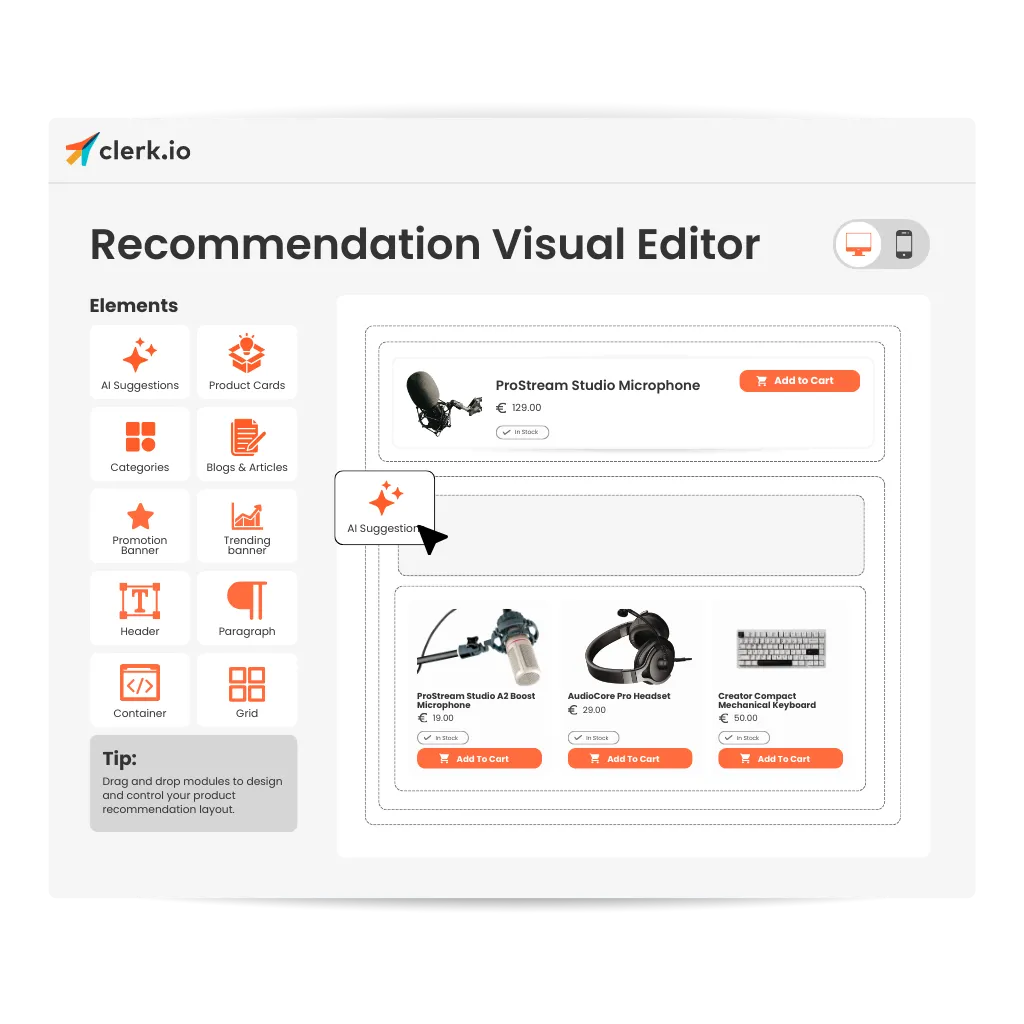
Drag-and-Drop Design Arrange recommendation components visually within the editor.
Live Preview See layout changes instantly before publishing them on the site.
Reusable Blocks Apply consistent recommendation layouts across multiple pages and placements.
Clerk.io’s visual editor allows teams to control how recommendation blocks look and where they appear without requiring developer support.
Use Case: Faster Optimization of Recommendation Blocks
An e-commerce team wants to test different recommendation layouts on product pages and the homepage.
Without a visual editor, each change requires developer involvement and longer release cycles.
With a visual recommendation editor, the team can experiment quickly, adjust layouts directly, and optimize placements based on performance insights.
Key Benefits of a Visual Recommendation Editor
- Design recommendation layouts without coding
- Faster testing and iteration of recommendation blocks
- Greater flexibility in placement and presentation
- Consistent design across multiple pages
- Reduced reliance on development resources
By simplifying layout management, a visual editor allows teams to focus on improving how recommendations appear throughout the shopping experience.