February 26, 2026
 2 min read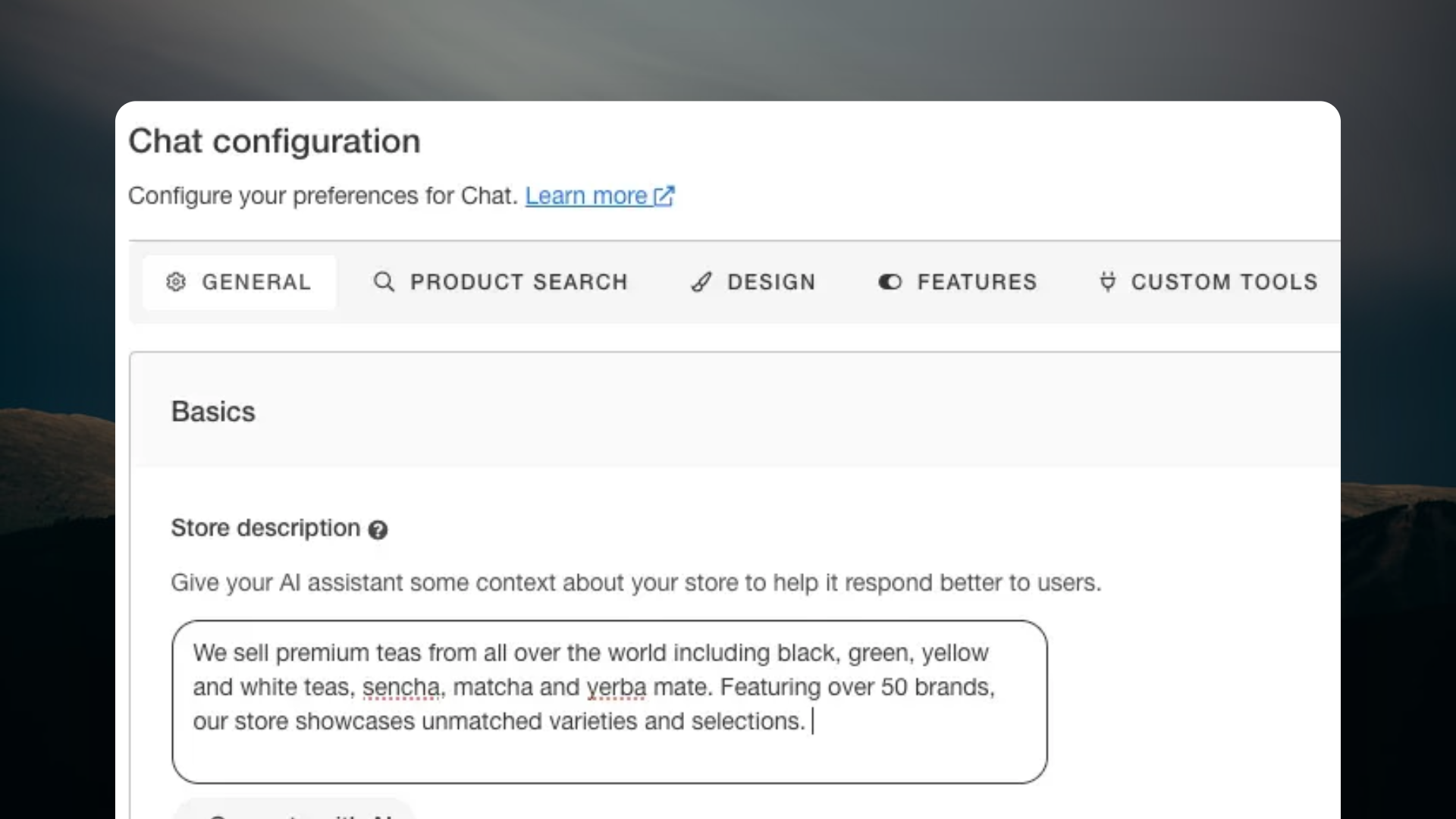
Why the store description matters
Chat already has access to your product catalog, order data, and conversation logic. What the store description adds is business identity — who the store is, what it sells in broad terms, and how it operates.
That context shapes how Chat introduces itself, handles questions it cannot answer from the catalog alone, and represents the store accurately in every conversation. Chat detects and responds in whatever language the shopper writes in — the store description makes sure those responses reflect the right business, not a generic one.
Until now, merchants had to write it themselves. That step is now gone.
What we added
Auto-generation on first enable When Chat is switched on for the first time, Clerk.io fetches the store’s homepage and extracts the key content — title, meta description, headings, body text — then combines it with store metadata: name, platform, language, and currency. A language model turns that into a clean 2–4 sentence description in the store’s own language. It saves directly. Nothing for the merchant to do.
“Generate with AI” button in Chat settings Already live? The Chat configuration page now includes a “Generate with AI” button. After a rebrand, a catalog expansion, or a move into a new market — it runs the same process on demand and shows the result before saving. Always a chance to review before anything goes live.
One less step between setup and go-live
The store description is one part of a setup that is designed to need as little from the merchant as possible. The product catalog syncs automatically. Order tracking connects without custom development. And now the store description writes itself.
For new stores, Chat is ready to handle real shopper conversations faster. For existing stores, one less thing to revisit when the business changes.
Frequently Asked Questions
Does it generate every time Chat is enabled? No. It runs once on first enable and stays in place until the merchant regenerates it manually.
Can I edit the description after it is generated? Yes. Merchants can adjust the wording or add detail directly in Chat settings at any time.
Does regenerating it affect Chat immediately? Once saved, the updated description is used by Chat going forward.