March 4, 2026
 3 min read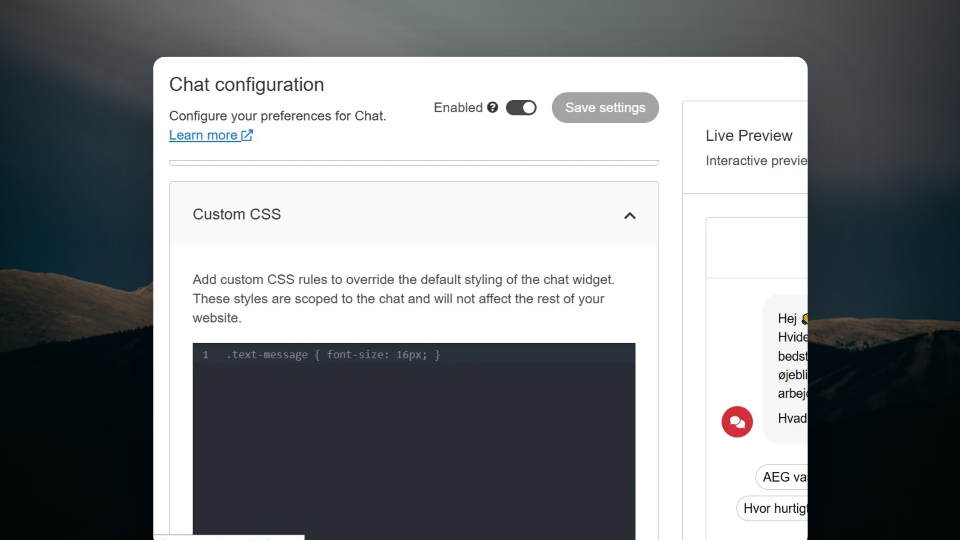
Clerk.io Chat now supports custom CSS. You have full control over how the chat looks in your store: fonts, colours, border radius, suggestion buttons, and more, without touching anything else on the page.

Your Brand. Your Chat.
Clerk.io Chat has always let you adjust colours and basic styling to match your store. Now you can go further. The new custom CSS field gives you direct control over any element inside the chat, scoped entirely to the chat window so changes never affect the rest of your site.
Where to Find It
Go to Design in your Chat configuration and scroll to the bottom. The custom CSS field is there. Anything you write applies only to the chat itself.
How to Use It
Inspect the element you want to change in your browser to find its class or ID. Add your CSS rules in the field, use !important to override default styles where needed. A live preview shows you exactly how the chat will look as you make changes, so there is no guessing and no back-and-forth.
Common things you can style:
- Suggestion button colours and shape
- Message bubble border radius
- Font styles and sizes
- Chat window background and borders
How It Works
-
Open Chat configuration and go to Design.
-
Scroll to the bottom and find the Custom CSS field.
-
Inspect the element you want to change and copy its class or ID.
-
Write your CSS rules. Use !important to override defaults.
5. Check the live preview to confirm the result.
- Save. The changes apply only to the chat - nothing else on your site is affected.
Frequently Asked Questions
Will custom CSS affect the rest of my site?
No. The CSS field is scoped to the chat. Any rules you write apply only inside the chat window.
Do I need a developer to use this?
Basic CSS knowledge is enough. If you can inspect an element and write a style rule, you can use this feature. For more complex styling, a developer can step in without any special setup.
Can I preview changes before saving?
Yes. The live preview updates in real time as you write CSS, so you can see exactly how the chat will look before saving.
What can I style?
Any element inside the chat window — suggestion buttons, message bubbles, fonts, colours, spacing, and more. If it has a class or ID, you can target it.
Full Brand Control. Every Part of Your Store.
Give your chat the same care as the rest of your store. Book a free demo to see Clerk.io Chat in action.