September 4, 2026
 14 min read
The best ecommerce merchandising tools for BigCommerce are Clerk.io, Athos Commerce, Nosto, Fast Simon, and Algolia. They all connect product discovery with merchant control, but they suit different teams.
Choose Clerk.io when search, recommendations, audience signals, and merchandising rules should share one commerce data layer. Choose Athos Commerce for visual category control backed by the combined Searchspring, Klevu, and Intelligent Reach product family. Choose Nosto for personalized category and content experiences. Choose Fast Simon for visual merchandising across large catalogs and composable storefronts. Choose Algolia when developers want API-led search with a merchant-facing Merchandising Studio.
BigCommerce itself remains the right baseline for stores that only need categories, product sorting, filters, promotions, and a manageable amount of manual curation. Buy a third-party platform when rules, personalization, testing, multi-storefront operations, or revenue attribution exceed what your team can run cleanly in the native setup.
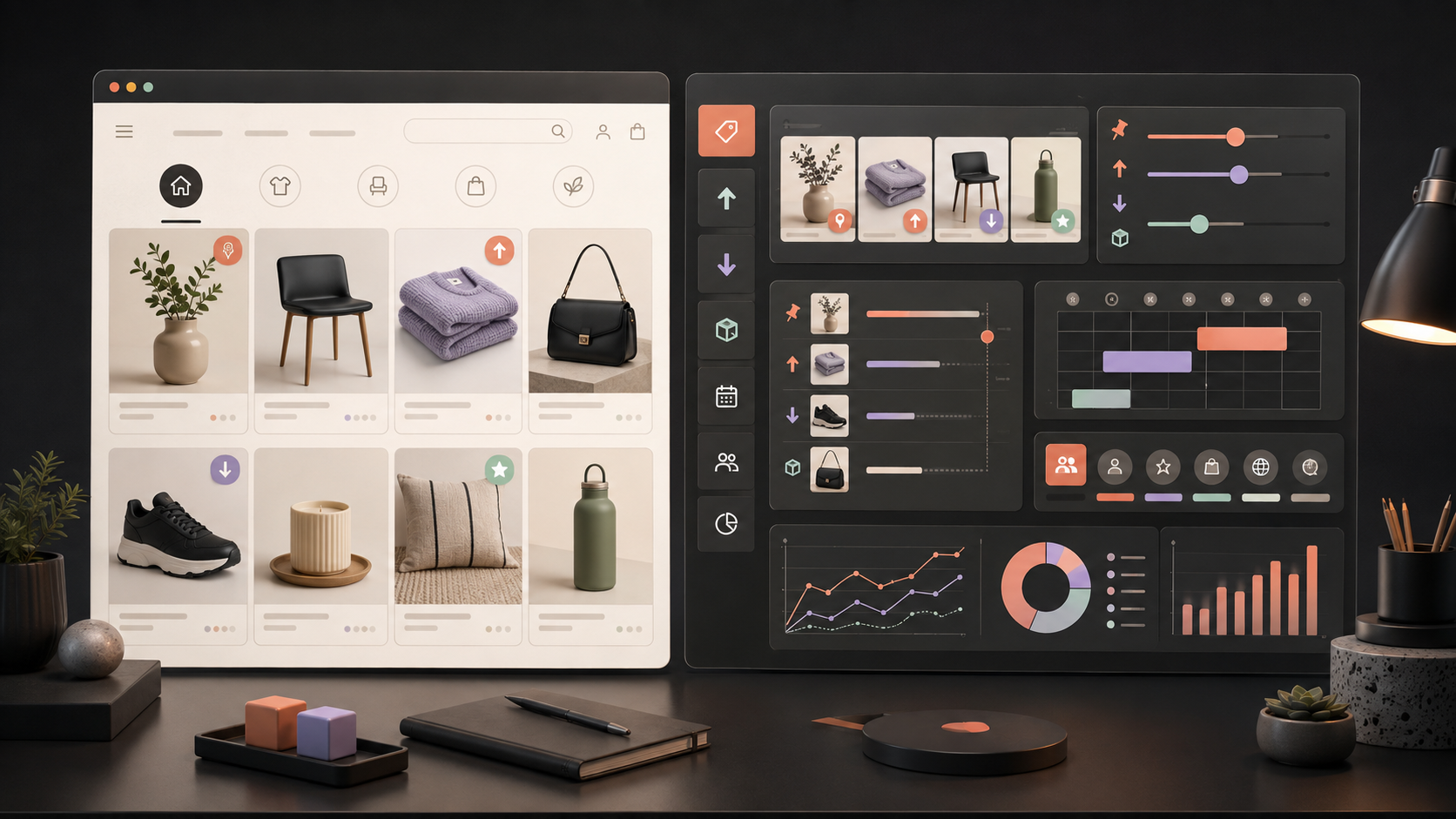
Quick comparison: BigCommerce merchandising tools
| Tool | Best fit | BigCommerce connection | Merchant controls to test | Main trade-off |
|---|---|---|---|---|
| Clerk.io | Mid-market teams that want connected search, recommendations, audiences, and merchandising | API-account data sync plus theme elements or injection | Pin, boost, bury, filter, audience targeting, scheduling, and rules across Clerk surfaces | Storefront placement and data mapping still need a planned implementation |
| Athos Commerce | Merchandising-led teams that want visual category and search control | BigCommerce Certified Technology Partner path inherited from Searchspring | Drag-and-drop placement, automated rules, banners, landing pages, product finders, and analytics | Confirm which capabilities sit in the current Athos platform versus a legacy Searchspring or Klevu product |
| Nosto | Brands that want personalized category, search, content, and recommendation experiences | Documented BigCommerce plugin and theme placements | Category rules, segment targeting, campaign testing, personalized listings, and recommendations | Scope can span several modules, so map the exact package and implementation method |
| Fast Simon | Large catalogs, visual merchandisers, and Catalyst or other composable builds | Native BigCommerce support plus a documented Catalyst Storefront SDK | Drag-and-drop curation, batch changes, stock routing, smart collections, audiences, and tests | Validate the operating model, event setup, and storefront work on your architecture |
| Algolia | Developer-led or composable teams that need flexible search and ranking | Official BigCommerce app for indexing plus frontend search components | Pins, ranking rules, query rules, dynamic re-ranking, analytics, and custom UI control | Some merchandising features have connector-specific limits; the frontend may remain your responsibility |
This comparison uses vendor and BigCommerce documentation available on September 4, 2026. Plans, packaging, implementation services, and connector coverage can change. Ask every shortlisted vendor for a dated response against your own catalog and storefront.
Start with the merchandising job, not the vendor list
“Merchandising” can mean six different jobs:
- Category merchandising: Control which products appear first on a category or product-listing page.
- Search merchandising: Adjust results for a query without breaking relevance.
- Recommendation merchandising: Shape product carousels, alternatives, bundles, and cross-sells.
- Campaign merchandising: Schedule seasonal products, banners, collections, and landing pages.
- Audience merchandising: Change product order or offers for a customer segment.
- Inventory merchandising: Promote available stock, bury low-stock items, and clear selected inventory without showing weak matches.
A tool can be excellent at one job and thin at another. A visual page builder may control banners but not search ranking. A search engine may pin results but leave campaign pages to BigCommerce. A personalization platform may reorder products by shopper behavior while giving the merchant only a few hard overrides.
Write down the surfaces you want to control before booking demos: homepage, navigation, category pages, search, product pages, cart, email, and regional storefronts. Then name the people who will operate each surface.
What BigCommerce already gives you
BigCommerce describes categories as product collections organized for merchandising. Its current platform materials also list catalog management, product filtering, promotions, custom product recommendations, drag-and-drop page editing, and APIs for hosted and headless storefronts.
For a headless build, the GraphQL Storefront API supports faceted and textual search. The Contextual Filters API can configure different facet sets by category on the default channel. The documented limit matters: contextual-filter configuration covers category pages, not brand or search-results pages.
The native route is a sensible choice when:
- One merchandising team controls a modest number of categories.
- Manual product order and standard sorting rules cover most campaigns.
- BigCommerce filters map cleanly to the catalog attributes.
- You don’t need individualized product ranking.
- Reporting from your analytics stack is enough to judge changes.
Look beyond the native setup when merchandisers spend each week moving the same products across many categories, when inventory or margin should influence ranking, or when the same rule must reach search and recommendation placements.
1. Clerk.io: connected merchandising across discovery surfaces
Clerk.io Merchandising applies merchant rules to product visibility while the underlying search and recommendation logic keeps working. Teams can promote a brand, boost high-margin products, use stock inputs, build bundles, and run campaign rules across search results, categories, landing pages, and recommendation placements.
The campaign documentation separates forcing rules from sorting rules. A pin can force selected products to the top. Sorting rules boost or bury items already relevant to the shopper’s request. That distinction matters: a commercial rule should not place an unrelated product above a strong query match.
Clerk’s BigCommerce integration overview documents an API-account connection that fetches products, orders, customers, categories, and pages. The sync guide covers custom attributes, out-of-stock handling, visible categories, and real-time updates. Those fields give merchandising rules the catalog and commercial signals they need.
Storefront work is separate from data sync. Clerk’s BigCommerce search guide covers Instant Search, a faceted Search Page, and Omnisearch. Designs and elements can be added to BigCommerce theme files or placed with injection. Recommendations can use the same data on the homepage, product pages, category pages, cart, and content pages.
Audience-based Merchandising can trigger rules for a known audience or customer attribute. That creates a useful operating model for VIPs, new visitors, lapsed buyers, regional groups, or customers interested in a product family. Set governance around each rule so segment logic, campaign logic, and global ranking don’t conflict.
Best for: A merchant team that wants Intelligent Search, recommendations, Audience, and merchandising connected, with one set of product and behavioral signals.
Test before signing: Map every required BigCommerce field, preview changes on a non-production theme, prove how rules interact, and trace clicks and orders into analytics.
2. Athos Commerce: visual control with Searchspring and Klevu roots
Athos Commerce brings Searchspring, Klevu, and Intelligent Reach under one product family. Its merchandising materials cover boost rules, banners, landing-page building, automated category optimization, personalization, analytics, and product-feed management.
The company became a BigCommerce Certified Technology Partner through Searchspring. The documented BigCommerce feature set includes product-listing control across search, category, and landing pages, automated rules, drag-and-drop placement, banners, product finders, and merchandising analytics.
BigCommerce’s Just Sunnies customer story gives a platform-specific example. The retailer used BigCommerce with Searchspring across a catalog of more than 13,000 products. Its team could customize search, merchandising, and pagination. Laura Brukner, Digital Marketing Ecommerce Manager, said:
“We’ve really been able to elevate the merchandising experience.”
The quote speaks to control, not a standalone lift claim. The same customer story describes a broader headless replatform and several tools, so don’t assign every commercial result to the merchandising software.
Athos is a current brand built from several established products. Contract names, console names, implementation paths, and available modules may differ between new and existing customers.
Best for: A trading team that wants hands-on visual curation, product finders, category campaigns, and a service-backed BigCommerce rollout.
Test before signing: Ask which Athos product receives your catalog, which interface merchandisers use, how legacy Searchspring or Klevu customers move to the combined platform, and which controls apply to hosted versus headless storefronts.
3. Nosto: personalized category and campaign merchandising
Nosto’s implementation planning guide lists a BigCommerce plugin and separates two delivery types: campaign widgets for recommendations, bundles, and onsite content; and listings for Search and Category Merchandising.
That breadth suits brands that want product order, content, and recommendations to react to the shopper. Nosto’s current campaign-testing guide documents tests for merchandising-rule variations on chosen queries, category pages, and customer segments. Its BigCommerce documentation also describes native variation support with variant-level availability, price, and images.
The implementation plan deserves close attention. Category listings may replace native product-list content, while campaign widgets occupy selected theme placements. Your team should know which system owns the category grid, filters, recommendations, banners, and event stream.
Best for: A brand that treats category pages as personalized experiences and wants testing, recommendations, content, and search in the same evaluation.
Test before signing: Compare personalized and control experiences, inspect variant handling, confirm how customer consent affects targeting, and check whether a campaign can be previewed by storefront, market, device, and segment.
4. Fast Simon: visual merchandising for large or composable catalogs
Fast Simon’s AI Merchandising page describes drag-and-drop curation, batch changes, multi-storefront control, stock-aware routing, automated campaigns, and native BigCommerce support. Its BigCommerce Catalyst documentation provides a Storefront SDK and a starter that includes smart collections, search results, autocomplete, and visual-similarity features.
This makes Fast Simon worth testing when a team wants a visual interface but runs a composable frontend. A documented SDK reduces discovery work, yet your developers still own integration quality, rendering, analytics events, and release safety.
BigCommerce published a Francesca’s implementation story written by Fast Simon. It describes search, personalized filters, dynamic ranking, recommendations, and multimodal search. The article reports a 30% conversion-rate increase and 50% faster search responses after implementation. Treat those as vendor-reported results from one program, not a forecast for your store.
Best for: Large catalogs, visual merchandising teams, and BigCommerce Catalyst projects that need prebuilt discovery components plus API or SDK control.
Test before signing: Reconcile parent products and variants, simulate a stock change, run a campaign across two storefronts, and measure the JavaScript and network impact on category pages.
5. Algolia: API-led search with merchant-facing controls
Algolia’s BigCommerce installation guide documents an official app that connects a BigCommerce channel to an Algolia application. Teams can index at product or variant level, select currencies, choose an import-success threshold, and trigger the first full index. Ongoing product changes can reach Algolia through real-time update events.
For merchandising, Algolia’s BigCommerce page highlights pins, ranking changes, AI re-ranking, personalization, search analytics, and Merchandising Studio. The route is attractive when developers need control over the search interface while business users manage ranking policies.
There is a current connector caveat. Algolia’s support documentation says its Collections feature is not compatible with the BigCommerce connector because a full connector reindex does not include the _collections attribute. Algolia recommends BigCommerce’s own category structure for that use case. Ask whether this limitation affects the merchandising model proposed for your account.
Best for: A developer-led BigCommerce or Catalyst team that wants flexible search APIs, custom UI ownership, and a business-user layer for search merchandising.
Test before signing: Confirm plan access for every AI and merchandising feature, validate the category-page model, inspect event coverage, and estimate frontend ownership after launch.
A BigCommerce merchandising scorecard
Use one scorecard for every demo. Replace generic feature checks with proof tasks.
| Area | Proof task | Evidence to keep |
|---|---|---|
| Catalog sync | Change price, stock, category, image, and one custom field | Timestamp from BigCommerce update to live storefront change |
| Variants | Test size and color across in-stock and unavailable combinations | Product-card, filter-count, and click-through behavior |
| Category control | Pin one item, boost a group, bury low stock, then undo the rule | Preview, audit history, owner, and rollback steps |
| Search merchandising | Apply a commercial boost without breaking ten high-intent queries | Before-and-after relevance grades |
| Campaigns | Schedule a launch across two categories and one region | Start time, end time, market scope, and fallback |
| Personalization | Show a different order for two consent-valid segments | Segment definition, control group, and reason for the change |
| Analytics | Trace impression, click, cart, order, revenue, and return | Event IDs and attribution definition |
| Storefront fit | Repeat core journeys on Stencil, Catalyst, or your custom frontend | Page speed, layout stability, errors, and accessibility notes |
| Operations | Have a merchandiser launch and reverse a real campaign | Time taken and every point that needed engineering or vendor support |
Do not accept a polished vendor catalog. Bring 100 real products, 30 real queries, active variants, current inventory, and a promotion your team plans to run. The demo should use your edge cases.
Match the tool to your operating model
Small team, standard Stencil theme
Start with native BigCommerce categories, filters, promotions, and page controls. Shortlist a third-party platform only when repeated manual work or weak discovery has a measurable cost. Prefer a vendor that can own setup and leave daily control with one merchant.
Merchandising-led mid-market store
Compare Clerk.io, Athos Commerce, Nosto, and Fast Simon. Focus on rule conflicts, audience scope, campaign scheduling, preview, attribution, and how quickly a merchandiser can recover from a mistake.
Developer-led composable storefront
Compare Algolia and Fast Simon, then include Clerk.io, Nosto, or Athos if their API and server-rendering paths fit your architecture. Price the storefront build and event model separately from the software subscription.
Multi-storefront or B2B catalog
Test channel-specific catalogs, customer-group pricing, regional stock, languages, currencies, and product visibility. Do not assume a connector that syncs one catalog handles every storefront and price list in the same way.
What a Clerk.io customer example can and cannot prove
Gallerix is a wall-art retailer that used Clerk.io Search and Recommendations across a large visual catalog. The Gallerix customer story reports a 25% increase in average order value and a 37% increase in basket size during the measured program. CEO Jimmy Håkansson said:
“Once we implemented the functions it has worked from day one.”
This example shows the value of connected discovery and product suggestions. It does not prove the result for a BigCommerce store, isolate merchandising from Search and Recommendations, or predict your lift. Use it as a workflow question for the vendor: can your BigCommerce implementation connect the same surfaces, and can the reporting separate each one’s contribution?
A 30-day selection and rollout plan
Week 1: baseline the current store
Export category traffic, search terms, product clicks, cart additions, orders, margin, stock cover, and returns. Pick the ten category pages and 30 queries that matter most. Record current product order, filter behavior, conversion rate, revenue per visitor, and page speed.
Week 2: run the same proof with each vendor
Connect a safe catalog sample or staging store. Apply the scorecard above. Make the intended merchandiser complete each rule without coaching after the first walkthrough. Track setup time and operational time separately.
Week 3: build and validate the chosen path
Map product and event fields, integrate the storefront components, define campaign owners, and add a kill switch. Test mobile filters, keyboard navigation, back-button behavior, empty states, long product names, regional prices, and unavailable variants.
Week 4: launch with a controlled comparison
Start with one high-traffic category or query group. Keep a valid control where traffic supports it. Watch conversion rate, revenue per visitor, margin per visitor, inventory exposure, search exits, category exits, and performance. Stop or roll back a rule when relevance or storefront stability falls.
The recommendation
Keep BigCommerce’s native tools when they meet the commercial job and your team can operate them without repetitive work. For a third-party shortlist, start with three options that reflect different ownership models:
- Clerk.io for connected merchant rules across search, recommendations, audiences, and analytics.
- Athos Commerce, Nosto, or Fast Simon for a merchandising-led suite with visual control and varying degrees of personalization and service.
- Algolia for API-led search when developers own the frontend and merchants need controlled ranking access.
Ask the vendors to prove one campaign with your BigCommerce data before comparing price. The winning tool should publish the intended product order, preserve shopper relevance, respect stock and price, reveal why a rule fired, show its commercial effect, and let the team reverse it safely.
For more planning detail, read the ecommerce merchandising strategy guide, download the Search ebook, or compare the opportunity with the ROI calculator.
TL;DR
- Clerk.io, Athos Commerce, Nosto, Fast Simon, and Algolia are strong BigCommerce merchandising candidates with different integration and ownership models.
- BigCommerce’s native categories, filters, promotions, recommendations, and APIs may be enough for a smaller catalog or a team with simple rules.
- Choose by the surfaces you must control: categories, search, recommendations, campaigns, audiences, stock, and regional storefronts.
- Run every vendor through the same catalog-sync, variant, rule, campaign, analytics, and storefront proof.
- Attribute customer results to the full program described by the source. Do not treat a case study as a forecast.
- Buy the tool your merchandisers can operate and reverse safely after the implementation team leaves.